80
7. Ligar o Parrot Flypad.
> O indicador luminoso do Parrot Flypad pisca
a verde.
8. Na aplicação FreeFlight Mini, premir
9. Premir para visualizar a lista suspensa.
10. Selecionar o Parrot Flypad.
> O indicador luminoso do Parrot Flypad fica
verde: está ligado. É possível configurar os
botões do Parrot Flypad.
CONFIGURAÇÃO DOS BOTÕES
Antes de começar, assegure-se de que o smartphone
está ligado ao Parrot Flypad e ao drone Parrot.
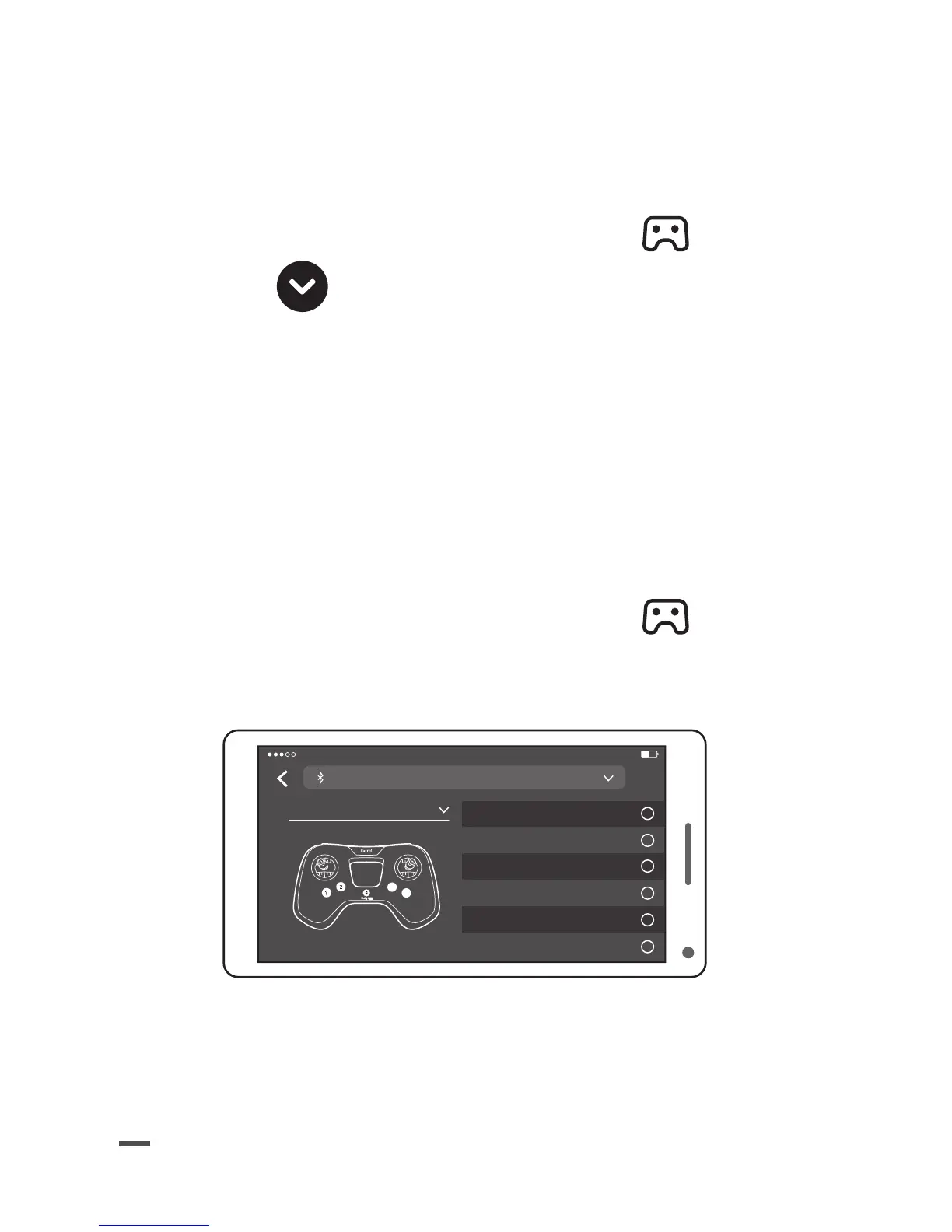
1. Na aplicação FreeFlight Mini, premir
> A lista das funções associadas aos botões do
Parrot Flypad é apresentada.
B
A
Flip backward
Take picture
Air break
Landing
Fast settings
Flip
PARROT 4:21 PM 22%
MinicontrolerM
Fly Ace
?


 To Next Page