15. Control and Menu Icons (Continued)
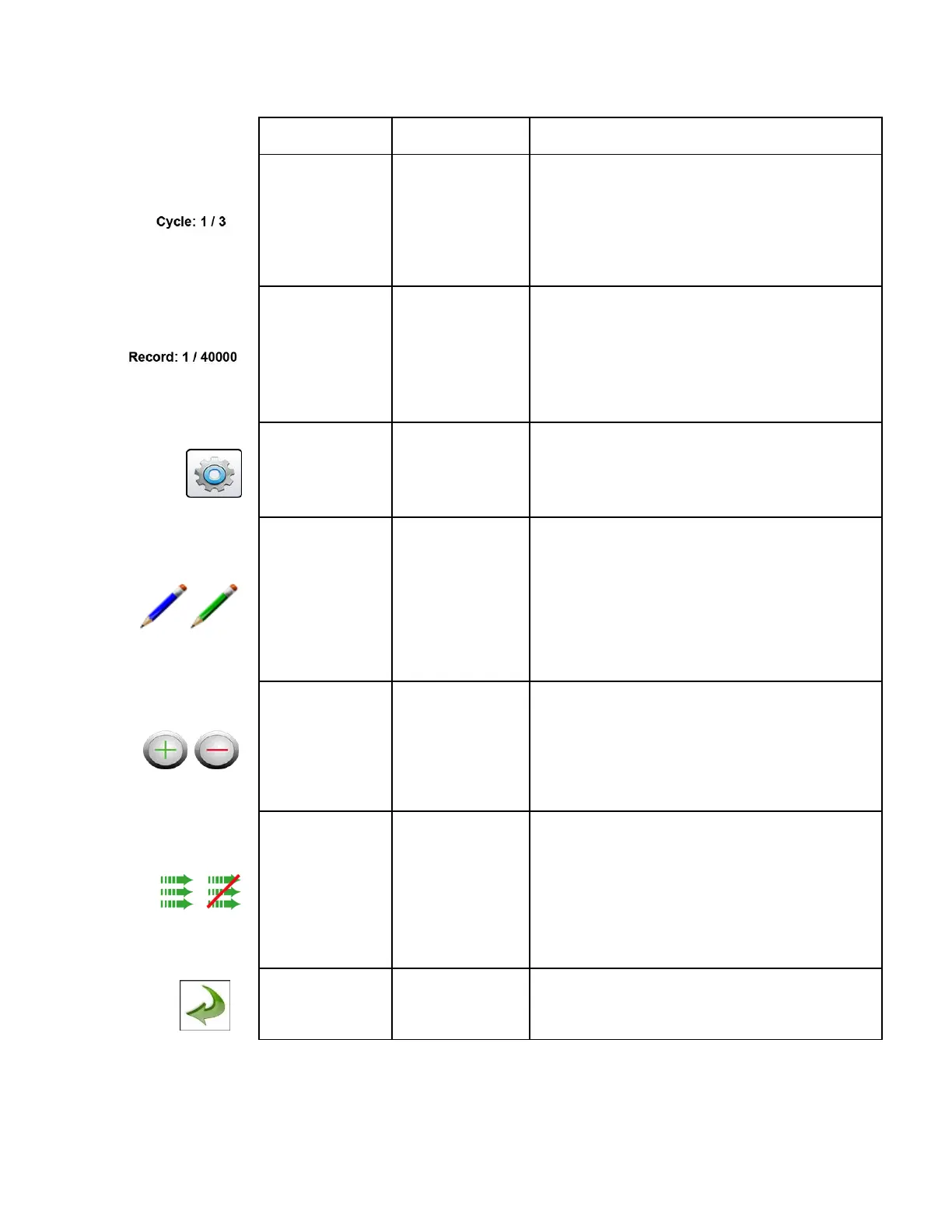
The Cycle Indication displays the number of count samples
that will be taken at a location in automatic mode. The
maximum number of possible cycles that can be set is
9,999. The value is displayed as the sample number vs. the
total number of samples to be completed in this cycle. See
Sampling Setup in Settings Menu.
The Records Indication is a display of the total number of
sampling records saved in the Instrument out of the total
number of records the instrument is capable of storing --
40,000 possible saved records (rotating buffer) including
particle count data, environmental data, locations and times
per record.
When pressed, the Settings Menu Icon brings you to the
Settings Screen. All aspects of the Instrument’s set-up can
be managed from the icon driven sub-menus.
The Annotation Icon, displays as a blue pencil. When
pressed, written notation (up to 32 letters, can be added to a
record during the time of the sampling, or after a sample has
been taken. Advanced processing allows for annotations to
be inserted while the unit is sampling with no interruption to
the operation. The green pencil denotes that an annotation
exists on that record. This feature can be disabled from the
Configuration screen in Settings.
When pressed, these icons scroll through 500 possible
locations that can be saved and uniquely identified in the
Locations set-up screen. Locations can have set recipes
assigned to them in advance for ease-of-use during
sampling.
Green Flow & No
Flow Indication
The three horizontal arrows indicate that the pump is
working and that the internal flow sensor is detecting the
correct flow rate through the Instrument. If a red line
appears diagonally through three green arrows, it is an
indication no flow.
Various Screens
throughout program
Press back arrow Icon to return to the previous screen.


 To Next Page
 Loading...