Step 5: Powering on the PT-6212-EB
www.partner.com.tw
© 2010 Partner Tech Corp. All Rights Reserved
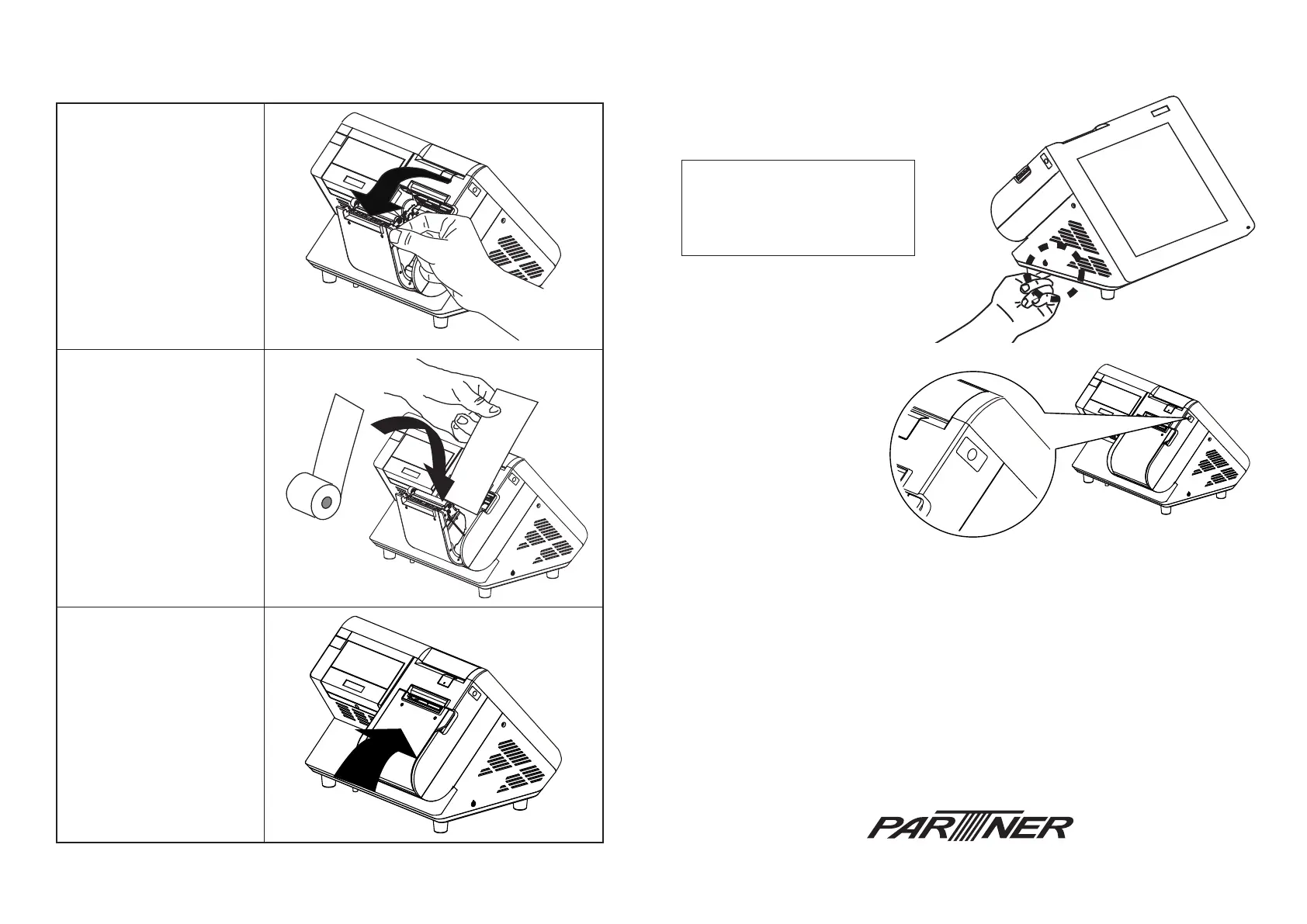
Press the power button on the left underside of
the PT-6212-EB.
Note: Press once to power on
the system. Press it for 4~5
seconds to force the system
down.
The feed button
You can press the feed
button to auto-feed paper
from the printer.
Paper type
Thermal roll paper (single sheet)
Certied paper:
Original paper No. P350 KSP
Original paper No. TF50KS-E NIPPON PAPER INDUSTRIES CO., LTD.
Original paper No. AF50KS-E JUJO THERMAL
Original paper No. PD150R OJI PAPER MFG. CO., LTD.
Original paper No. PD160R OJI PAPER MFG. CO., LTD.
Original paper No. TF77KS-E NIPPON PAPER INDUSTRIES CO., LTD.
Original paper No. KT55 Koehler
Notes:
1. Print quality may differ depending on paper type.
2. Use the certied paper. Otherwise, proper print quality may not be obtained, print head reliability may decrease, or
the print head may become damaged.
Size:
Paper width: 79.5 ± 0.5 mm {3.13” ± 0.02”}
Outside diameter: 194x143.5x91.5(mm)
Thickness
56 to 95 μm
Setp 4. Installing the thermal paper roll
A. Open the printer cover.
B. Insert the thermal paper
roll as shown on the
picture.
C. Pull a portion of the
paper over the printer
output part.
D. Close the cover and
press it down until you
feel a click.



 To Previous Page