Specification
Item SP-550
CPU Type Intel
®
Bay Trail-D J1900 2.0G up to 2.4G, 2M Cache
LCD 15” Active TFT color LCD, 350 nits resolution 1024 x 768
Touch Projected Capacitive Touch
Memory 2G 204pin DDR3L-1333, SO-DIMM x 2 Max Support up to 8GB
LAN 10/100/1000 Gb Ethernet x 1
Storage 2.5” type SATA HDD x 1
I/O Interface 4* COM ports (COM1~4 on rear I/O powered with DC+5/+12V, COM1~2
by BIOS selection; COM3~4 by jumper)
1* DB-15 VGA port
1* RJ11 port supports 2 cash drawer(DC+24v)
1* RJ-45 LAN port with activity and link LEDs
1* PS/2 KB
1* DC+12v out Jack
6* USB (5 * USB 2.0 + 1 * USB 3.0)
1* DC +12V input power-jack
Expansion Options 1* Mini PCI-e, Support Wireless LAN module
Optional Peripherals 3 tracks magnetic reader
Customer display module (2 x 20 VFD, CD-7220), 2nd display (CD-70)
Operation System Window 7, POS Ready7, Window 8.1, Industry Pro Retail 8.1, Linux
(Ubuntu)
Power Supply AC100~240V/DC+12V, 90 watt power adapter
Dimensions Physical: 340.79mm (W) x238.2mm (D) x 328.64mm (H)
Operating Temp 0°C ~ +40°C
Storage Temperature -20°C ~ +60°C
Humidity 15%~80%
3
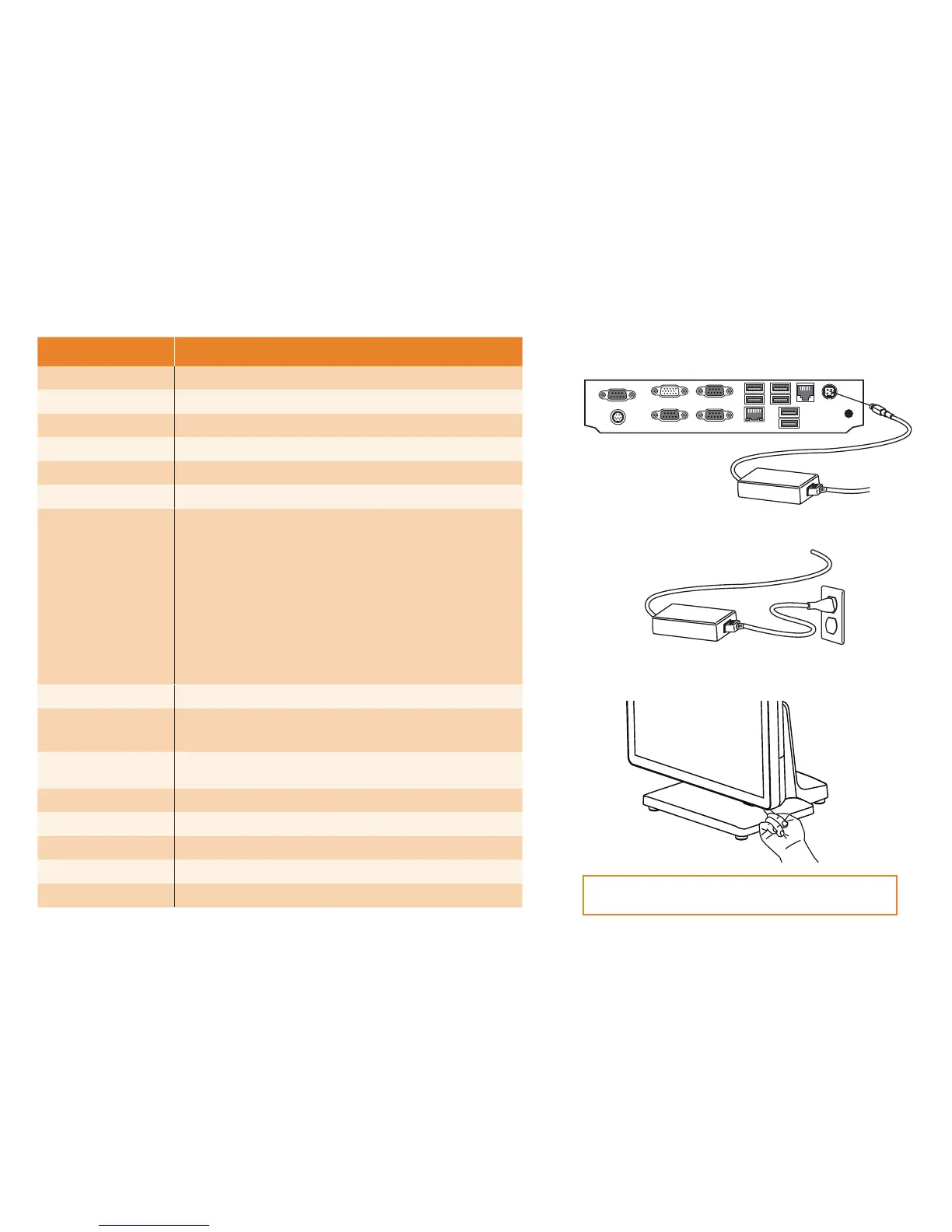
. Press the power button on the right underside of the
computer.
Note: Press once to power on the system. Press it for
4
~
5
seconds to force the system power off.
Quick start
1
. Connect the power cable to the DC-IN connector located on
the I/O panel.
2
. Plug the power cable into an electrical outlet.



 To Previous Page