- 28 -
8 Measuring Record Deleting
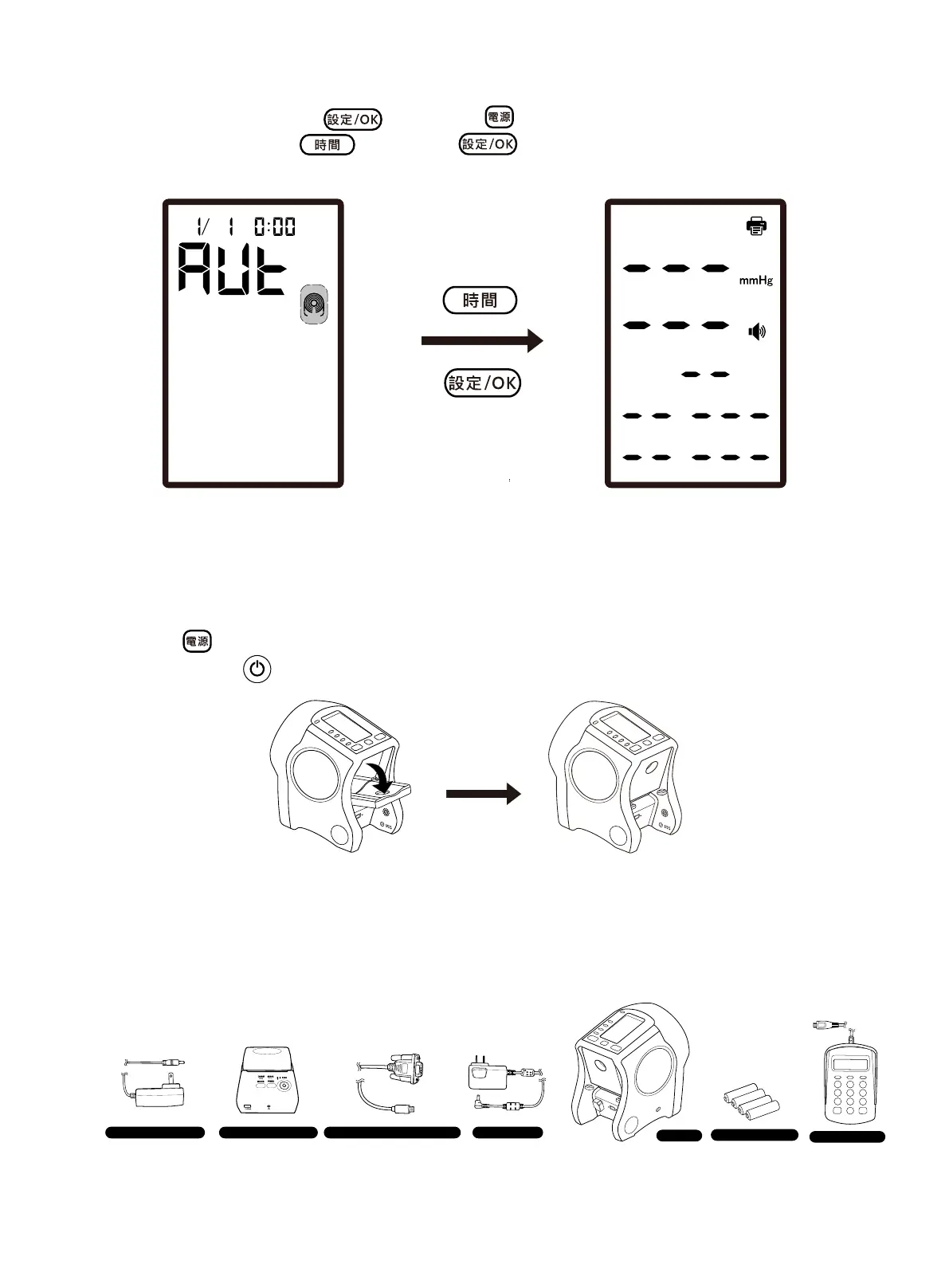
At power-off status, press the button and button simultaneously to enter the setup
screen, and then press the
button and button simultaneously longer than 3 seconds
to delete all measurements.
Fig. 8.1
9 Power O
1. Press the button to turn off the device, the power light turns off, and then close the elbow
holder. Press the
button on the thermal sensitive printer to turn off the printer.
Fig. 9.1
2. Turn off the switch of the power supply socket, remove all accessories from the device and the
power supply socket, such as the AC adapter, numerical keypad, thermal sensitive printer and mains
charger, etc.
Charger for the printer
Thermal sensive printer
RS232 connecng line for the printer AC Adapter
Main body
Numeric keypad
AA Alkaline baery × 4
Fig. 9.2


 To Next Page