EasyManua.ls Logo

Pasesa AVE-2000 Pro - User Manual

Pasesa AVE-2000 Pro
29 pages
Print Icon
To Next Page IconTo Next Page
Loading...
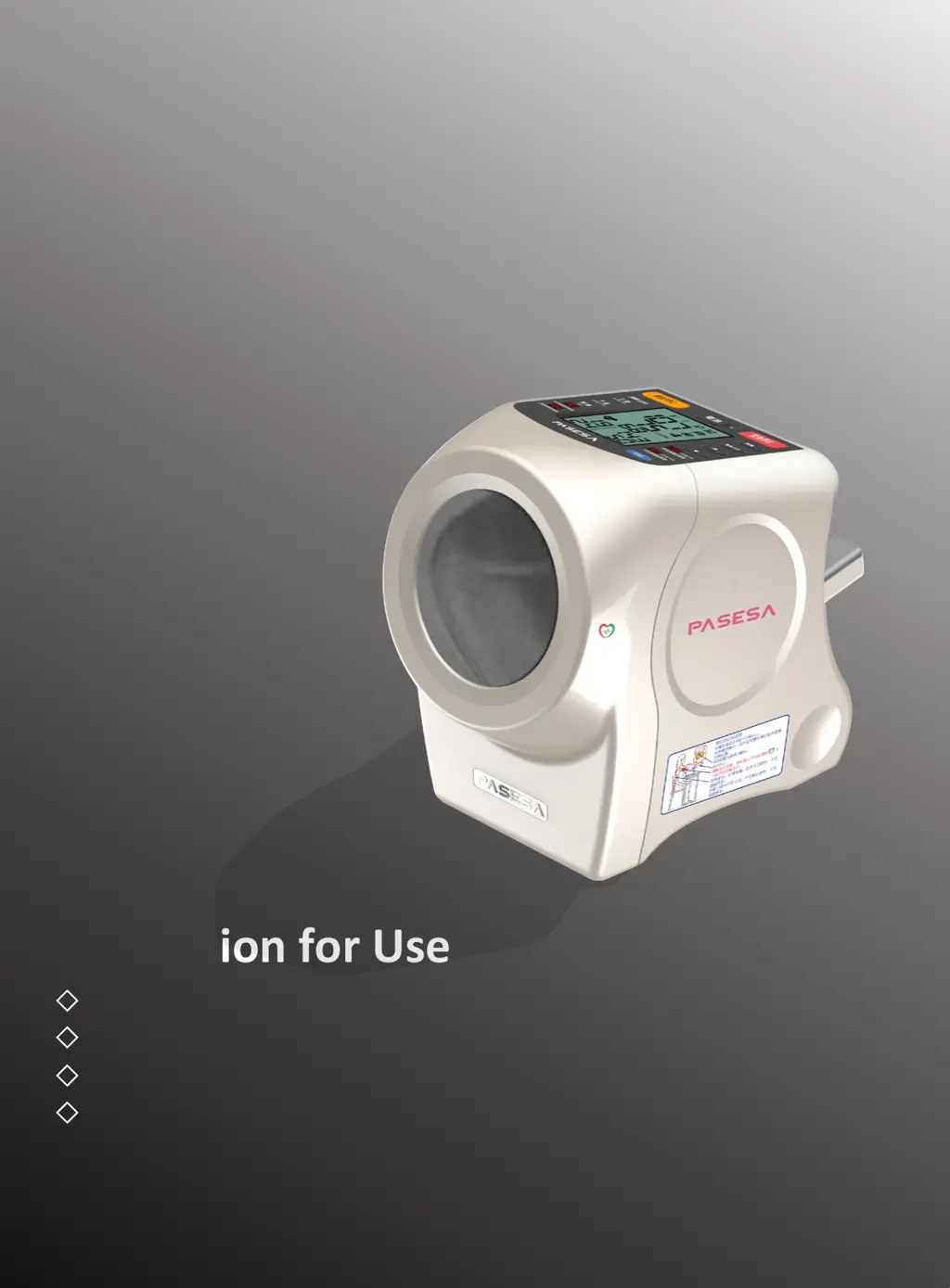
Non-invasive Vascular
Screening Device
Instruction for Use
AVE-2000 Pro
To ensure the correct use of the device, please read the manual carefully.
Keep the manual near the device.
To measure accuracy, please use the device in an appropriate way.
The device can be used to measure AVI & API, CSBP & CAPP, Systolic & Diastolic blood pressure
and the P.R. of adults.
Registration Number
20182210170
Production Certificate
20162890

Questions and Answers

  • J
    Jonathan PetersonAug 5, 2025
    What to do if there is no display on Pasesa AVE-2000 Pro Security Sensors after pressing the button?
    • R
      richardpenaAug 5, 2025
      If there is no display on the LCD screen of your Pasesa Security Sensors after pressing the button, it could be due to several reasons. First, ensure that batteries are inserted. If batteries are already in place, check the contact between the AC adapter, the device, and the power supply, and reconnect if necessary. Also, exhausted batteries can cause this issue, so replace them with new ones. Finally, make sure the batteries are inserted with the correct polarity, as reversing the anode and cathode can prevent the display from working.
  • J
    Jessica BrownAug 11, 2025
    Why Pasesa Security Sensors suddenly loses power during pressuring-up?
    • H
      hillbrianAug 11, 2025
      Sudden power loss in your Pasesa Security Sensors during the pressuring-up process can occur for a few reasons. It might be due to exhausted batteries from lack of use; if so, replace them with new ones. Another cause could be poor contact between the AC adapter, device, and power supply, so ensure everything is correctly re-connected. Also, you may have accidentally pressed the button; if this happened, press the button again to restart the device.
  • R
    Rose MortonAug 19, 2025
    What to do if Pasesa AVE-2000 Pro Security Sensors measured values are abnormally low or high?
    • G
      Gabriella DavisAug 19, 2025
      Abnormally low or high measured values on your Pasesa Security Sensors can be caused by a few things. Ensure you are using the arm cylinder correctly. Avoid talking or arm motions during measurement, as this can interfere with accurate readings. If the issue persists, also ensure that your clothes are not compressing the arm. If the cuff of the arm cylinder is damaged, stop the measurement.
  • C
    Chad HolmesAug 27, 2025
    Why is the date/time flickering on my Pasesa AVE-2000 Pro Security Sensors?
    • D
      Deborah McconnellAug 27, 2025
      If the date/time is flickering on your Pasesa Security Sensors after setting the clock and turning on the power, it could be because the time retention period is overdue, so try re-setting the date and time. Another reason might be that the internal lithium battery is exhausted.

Summary

Read Before Use

Preface and Manual Overview

Introduction to the device and the user manual's purpose and guidelines.

Terminology and Definitions

Blood Pressure and Pulse Rate Explained

Defines blood pressure, systolic, diastolic, and pulse rate measurements.

Arterial Velocity Pulse Index (AVI) Details

Details the Arterial Velocity Pulse Index (AVI), its development, and principle.

Vascular Indices and Measurement Formulas

Arterial Pressure Volume Index (API) Explained

Explains the Arterial Pressure Volume Index (API), its development, and calculation.

CSBP and CAPP Estimation Formulas

Provides formulas for estimating Central Systolic Blood Pressure (CSBP) and Central Aortic Pulse Pressure (CAPP).

Safety Precautions

Understanding Safety Symbols

Explanation of warning and caution symbols used in the manual.

Device Precautions for Use

Critical safety guidelines for operating the device, patient suitability, and environmental conditions.

General Usage Precautions

Handling and Environmental Safety

Details on avoiding hazards, environmental limits, and proper handling of the device.

Accessory Precautions

AC Adapter and Battery Safety

Safety instructions for using the AC adapter and batteries with the device.

Printer and Keypad Safety

Precautions for handling the thermal sensitive printer and numerical keypad.

Preparation Before Use

Packaging and Accessories Check

Instructions on verifying product contents and identifying main body and accessories.

Power Supply Options

Battery Insertion and Management

Guide on installing, replacing, and managing AA alkaline batteries.

AC Adapter Connection Guide

Steps for connecting the AC adapter to the device and power source.

Usage Guidelines

User Preparation and Pre-measurement Checks

Steps for user preparation and a checklist before turning on the device.

Date and Time Setup

Setting Device Date and Time

Procedure for configuring the date and time settings on the device.

Measurement Procedure

Device Setup for Measurement

Steps for preparing the device and positioning for accurate blood pressure measurement.

Correct Measurement Posture and Environment

Guidelines on maintaining proper body posture and environmental conditions during measurement.

Performing the Measurement

Detailed steps for initiating, conducting, and completing the measurement process.

Measurement Review and Storage

Checking and Reviewing Measurements

How to view recorded measurements and manage data.

Measurements Printing

Printing Measurement Records

Instructions for connecting and using the thermal sensitive printer for measurement records.

Blood Pressure Analysis

Classification and Reference Values

Information on blood pressure levels, classifications, and reference values for adults.

Vascular Index and Pulse Rate Analysis

Pulse Rate and AVI;API Interpretation

Details on pulse rate normal ranges and interpretation of AVI/API vascular indices.

CSBP and CAPP Value Details

CSBP and CAPP Range and Usage

Information on the measurement ranges and clinical reference use of CSBP and CAPP.

Data Management and Power

Deleting Measurement Records

Procedure for clearing all recorded measurements from the device.

Powering Off the Device

Steps to properly turn off the main device and accessories.

Technical Specifications

Device Specifications (Part 1)

Details on product model, application scope, and measurement accuracy.

Device Specifications (Part 2)

Information on memory, communication, power, environment, and composition.

Error Codes and Solutions

Error Codes and Causes (Table 2.1)

List of error codes, their potential causes, and recommended solutions.

Error Codes and Causes (Table 2.2)

Further error codes related to device startup, function, and communication.

Troubleshooting Guide

Common Abnormalities and Solutions

Guide to resolving common issues like power loss, display errors, and abnormal readings.

Emergency and Safety Management

Emergency Procedures and Device Reset

Steps to take in case of arm lock or other emergencies, and device reset.

Cleaning, Maintenance, and Safekeeping

Guidelines for maintaining the device's safety, effectiveness, and longevity.

Safety Management Details

Maintenance and Safekeeping Procedures

Specific instructions for cleaning, storing, and regularly examining the device.

Regular Checks and Services

Regular Check Items and Calibration

List of items to check before and after power-on, and calibration information.

Device Repair and Proper Disposal

Information on authorized repair services and environmentally sound disposal methods.

Warranty and Contact Information

Scope of Warranty and Terms

Details on warranty coverage, limitations, and required documents.

Customer Service Contact Details

Contact information for product consultation, service, and dealer details.

Pasesa AVE-2000 Pro Specifications

General IconGeneral
BrandPasesa
ModelAVE-2000 Pro
CategorySecurity Sensors
LanguageEnglish