- 12 -
3 Power Supply
The device supports two methods of power supply, alkaline batteries and connection to power supply
with AC adapter.
3-1 Baery Inseron
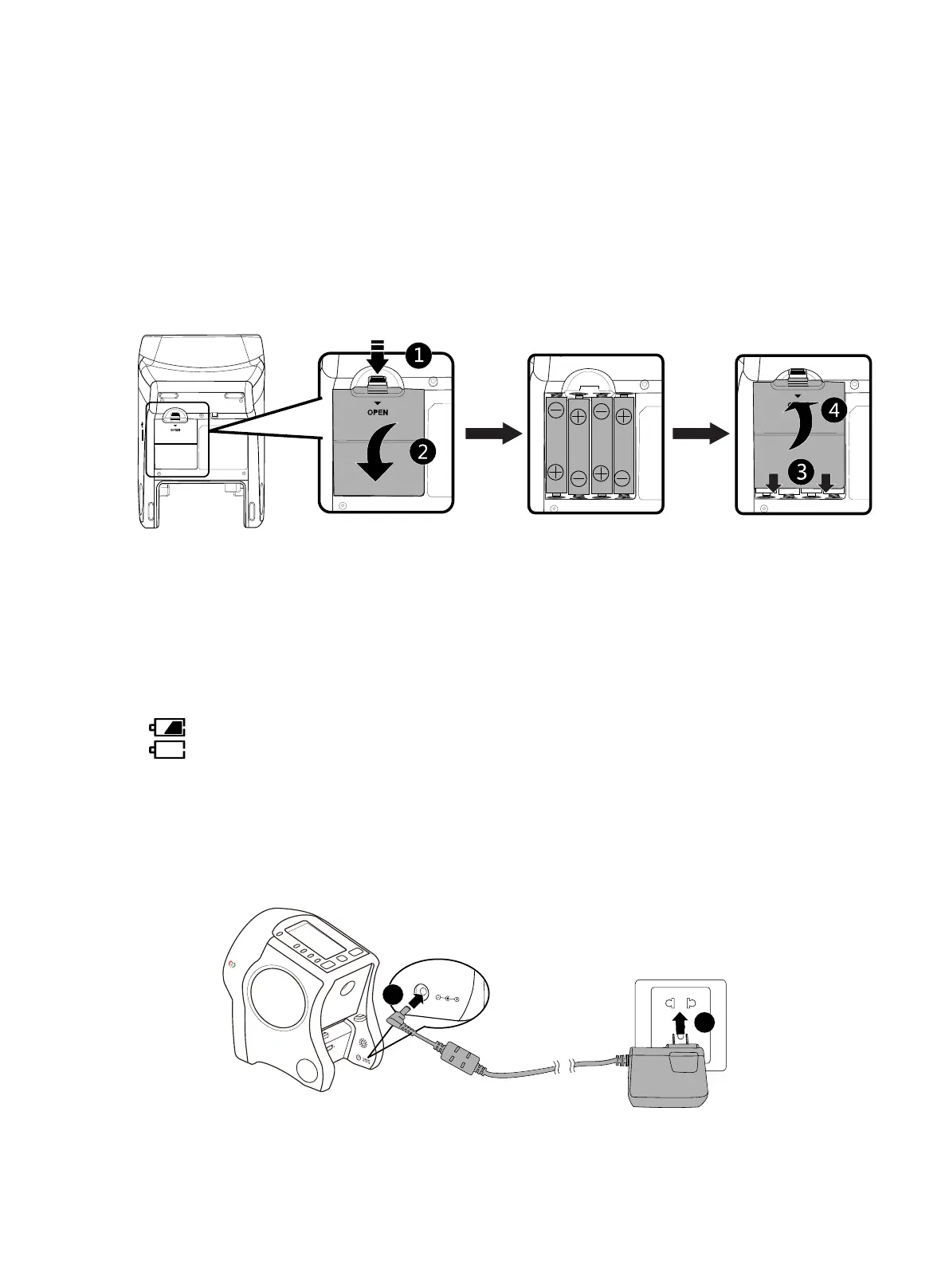
1. Locate the back of the device with battery cover in front of you and take off the battery cover (Fig.
①, ②
).
2. Install the batteries along the direction of anode (+) and cathode (-) marked in the battery
chamber of the device.
3. Close battery cover (Fig.
③, ④
).
Fig. 3.1.1
※
Even when the AC adapter is used, it is recommended to also put in AA alkaline battery to
avoid sudden power loss and affecting the measuring in the process.
※
Do not place the device in other directions (especially with display interface on the desk top)
while changing batteries.
※
The battery status is not shown on the display when the power is sufficient (more than 30%).
represents the power of the batteries is running out (lower than 30%).
represents the power of the batteries has run out. Please replace the batteries.
The battery life depends on variety of factors. Please monitor the condition of the battery.
3-2 Connecon of AC Adapter
1. Fit the plug of AC adapter in the AC adapter port on the main body of the device (Fig. ①).
2. Fit the power plug of AC adapter in the socket of power supply (Fig. ②).
1
2
Fig. 3.2.1
※ Only use the power supply delivered with the device. For replacement please contact your
local service representative.


 To Next Page