Getting Started Continued
Setting Multiple Alarms:
Sometimes one alarm just isn’t enough. To set additional alarms, just
tap the + sign again. Make sure to hit “save” once you’ve nished each
alarm to program it to your device.
Turning The Alarm Off:
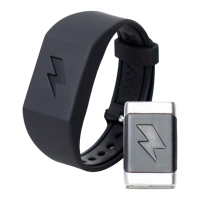
• To Turn The Alarm Off: Simply press and hold the lightning bolt
symbol on the Shock Clock module for ve seconds. Any less
will trigger a snooze, which will cause the alarm to go off again in
another 5 minutes.
• You can also choose to press “Turn Off” in the App when the
notication appears on your phone. When the alarm is turned
completely off (not just snoozed) the Shock Clock will vibrate three
times and ash red once. You must be paired to turn off alarm
from the app
What Happens When I Hit Snooze?
The snooze will last for 5 minutes before alerting you to wake up again
with your chosen stimulus. Please note that while the Shock Clock is
in snooze mode, it will blink red every 15 seconds.
When setting an alarm using Multi Zap you also have the option to turn
on Snooze Zap. This will provide an extra wake up call in the form of a
zap the moment you hit snooze each time regardless of the stimulus
you are using.


 To Next Page