The declaration of conformity may be consulted at: http://paxton.info/596
1
10,000
1
100
1 sec
60 sec
1 3
0 °C 55 °C
50 mm 30 mm
10 mm
60 mm 194 mm
30 mm
Specications
Min
Max
Min Max
Environment
Dimensions
Features
Waterproof
Width
Height
Depth
Door open time
Number of Card Packs
Silent operation
Number of Users
Access levels (Colour Zones)
Operating temperature - Battery limits
Yes
No
Battery Type
Typical Battery Life
30,000 operations
up to 5 years
Paxton Battery Pack
Full System Reset
1. Remove the unit from the door by removing the 4 securing screws on the rear lock assembly.
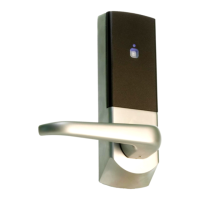
(see Layout on front page)
2. Remove the access plate at the rear of the front lock assembly. (top two standoff screws)
3. Unplug the battery pack lead.
4. Locate the reset push button at the lower right corner of the circuit board.
5. Hold the button down while reconnecting the battery power. - The unit will bleep 3 times.
6. Press and release the button 4 more times - The unit will bleep and display a ashing GREEN LED.
7. Remove and replace the battery plug. - The unit will bleep and display a ashing AMBER LED
- IT NOW REQUIRES RE-ENROLLING
8. Replace the access plate.
9. Ret the lock to the door with the 4 xing screws.
OR
1. Present Enrolment card
2. Present Door open time card twice
3. Present Enrolment card
4. Present Door open time card twice
5. WAIT FOR 5 SECONDS!
This function should only be used to clear all the stored user
information from the unit. The unit is returned to its Factory
settings and will require initialising again (See: Enrolment Card)
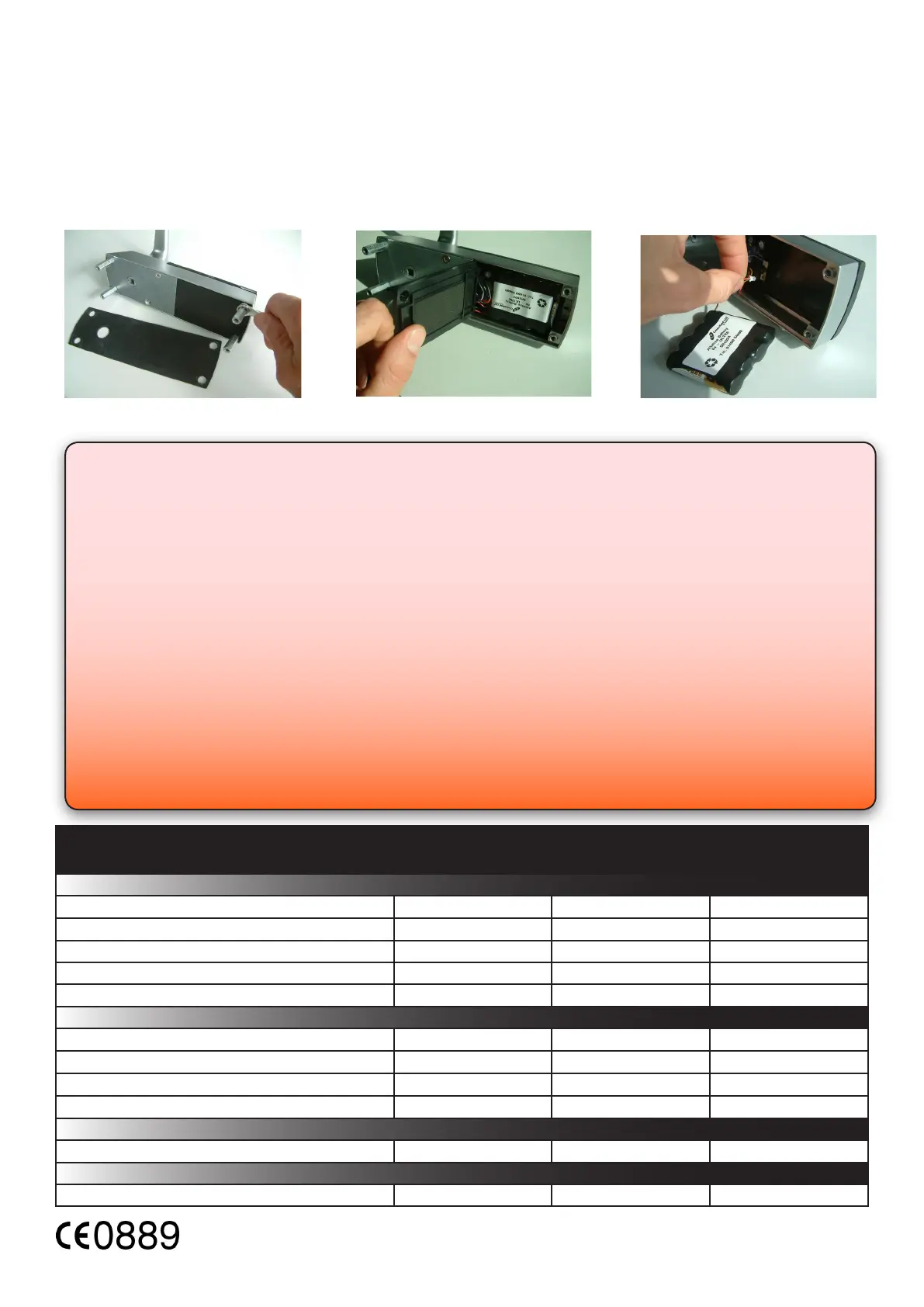
Battery replacement
1. Remove the unit from the door by removing the 4 securing screws on the rear lock assembly.
(see Layout on front page)
2. Remove the top two standoff screws - Fig 1
3. Remove the access plate to reveal the battery pack. - Fig 2
4. Unplug the lead and replace the pack with a new Paxton Access battery pack. - Fig 3.
(NOTE: The unit will retain its settings and should not be manually reset)
5. Ret the access plate and secure.
6. Ret the unit to the door
Fig 1
Fig 2
Fig 3
Read Range
Keyfob
Token
Watchprox


 To Previous Page