Perform Time Job Aid:
Course Overview and Installation
Updated: 5/26/15 Copyright © Paycor Inc. All Rights Reserved Page 7
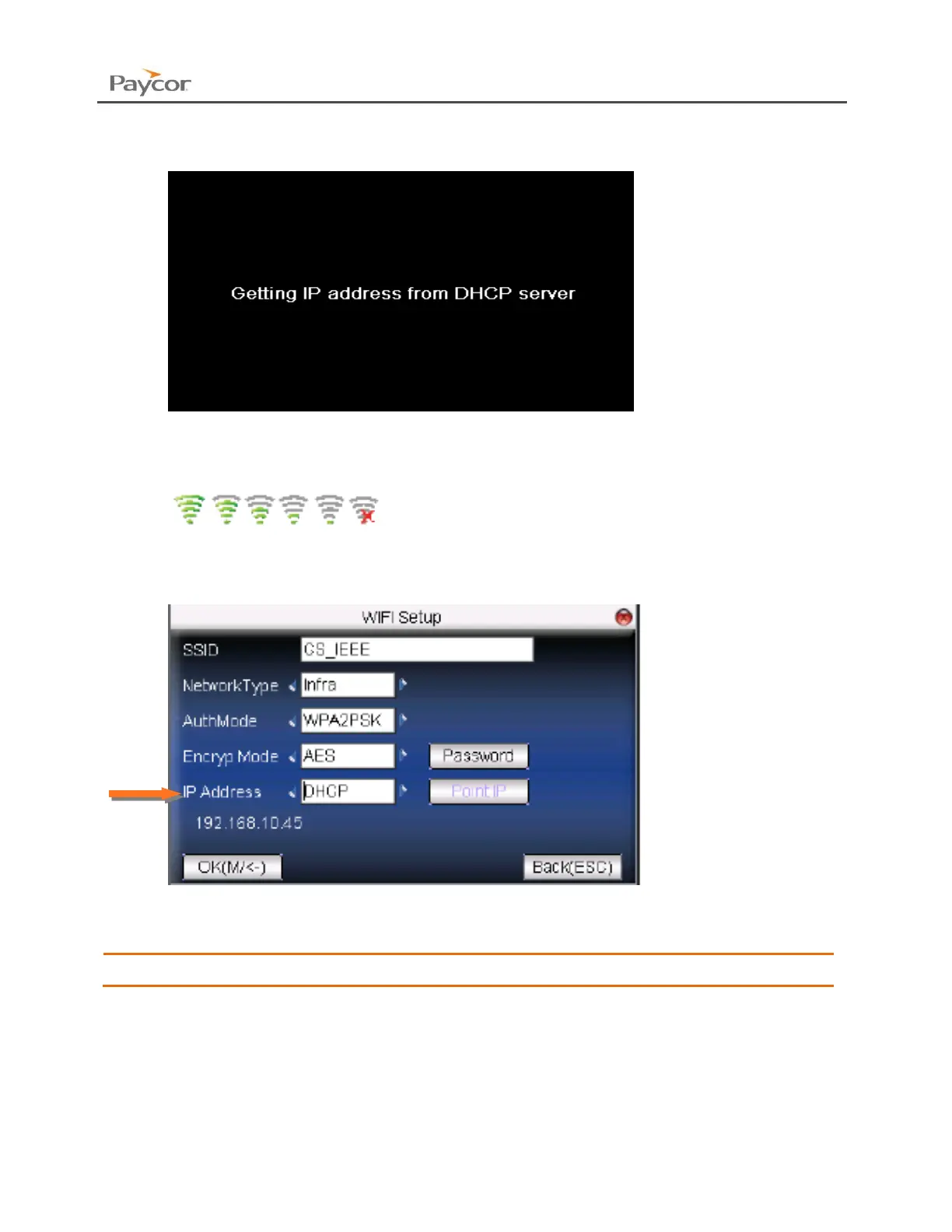
9. The following screens will appear. Do not try to perform any other actions with the clock
until it completes this step.
10. After successfully connecting to your wireless network, you should see one of the
following icons in the top right hand corner of your main screen.
These icons indicate the strength of your wireless signal.
11. Go back to the Comm menu and select WIFI Setup. If the screen displays an IP
Address in the lower left corner, then navigate to the OK button and press the Menu
button to save.
A reboot may be required after this step.


 To Next Page