Perform Time Job Aid:
Course Overview and Installation
Page 8 Copyright © Paycor Inc. All Rights Reserved Updated: 5/26/15
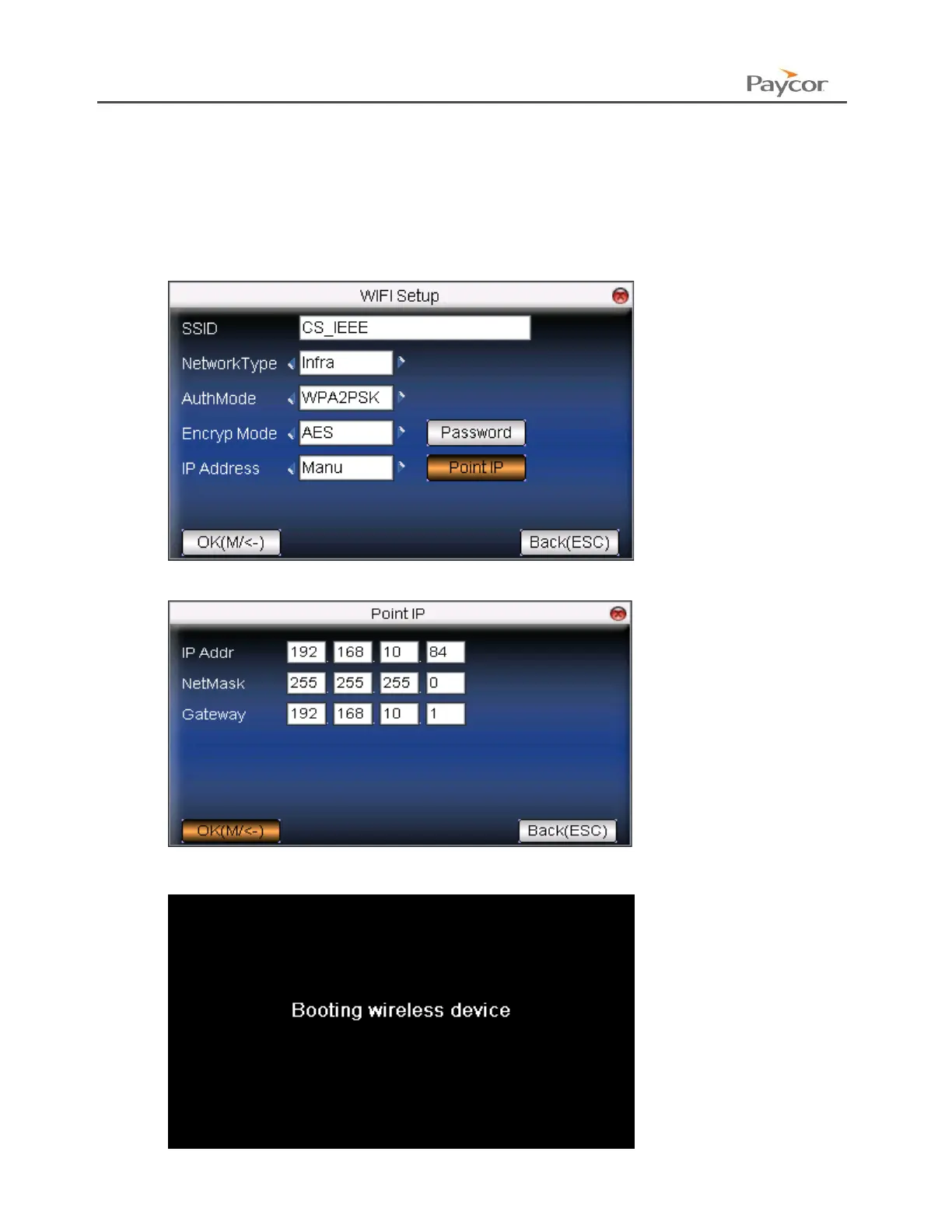
WI-FI Static Information Setup
If your Device must use Static Information then you will need to add that information to the
setup.
1. Go to the Comm Menu.
2. Select WIFI Setup.
3. Navigate to “IP Address” and switch it to Manu (short for manual).
4. Navigate to Point IP and press the Menu/OK Button.
5. Enter in the Information and press the Menu button to save.
6. The system will restart and set the Device IP.


 To Next Page