EasyManua.ls Logo

PayFacto PAX A80 - User Manual

PayFacto PAX A80
16 pages
Print Icon
To Next Page IconTo Next Page
Loading...
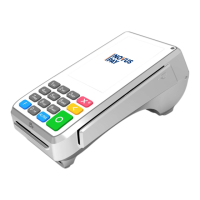
PAX A80
Installation and Configuration
Guide
November, 2021

Other manuals for PayFacto PAX A80

Question and Answer IconNeed help?

Do you have a question about the PayFacto PAX A80 and is the answer not in the manual?

Summary

A80 Terminal Overview

Terminal Hardware

A80 Communication Ports

Installing the Printer Paper

Connect the Terminal Cables

Configuring the Terminal Display Language

Configuring the Terminal Network Connections

Configuring the Terminal Ethernet Connection

Steps to enable and connect the terminal to a wired Ethernet network.

Configuring the Terminal Wi-Fi Connection

Instructions to enable Wi-Fi and connect the terminal to a wireless network.

Powering the Terminal On or Off

Terminal Input Options

Replacing the Printer Paper

Card Payment Options

PayFacto PAX A80 Specifications

General IconGeneral
Connectivity4G, WiFi, Bluetooth
Card ReaderEMV, NFC, magnetic stripe
Display TypeLCD
Operating SystemAndroid
CertificationsPCI PTS 5.x
PrinterThermal printer
Battery3.6V/2600mAh
SecuritySecure encryption, PCI compliant

Related product manuals