PayRange | BluKey Select™ Reference Manual
6/29/2021 Page 11 | 21
BluKey Select Reference
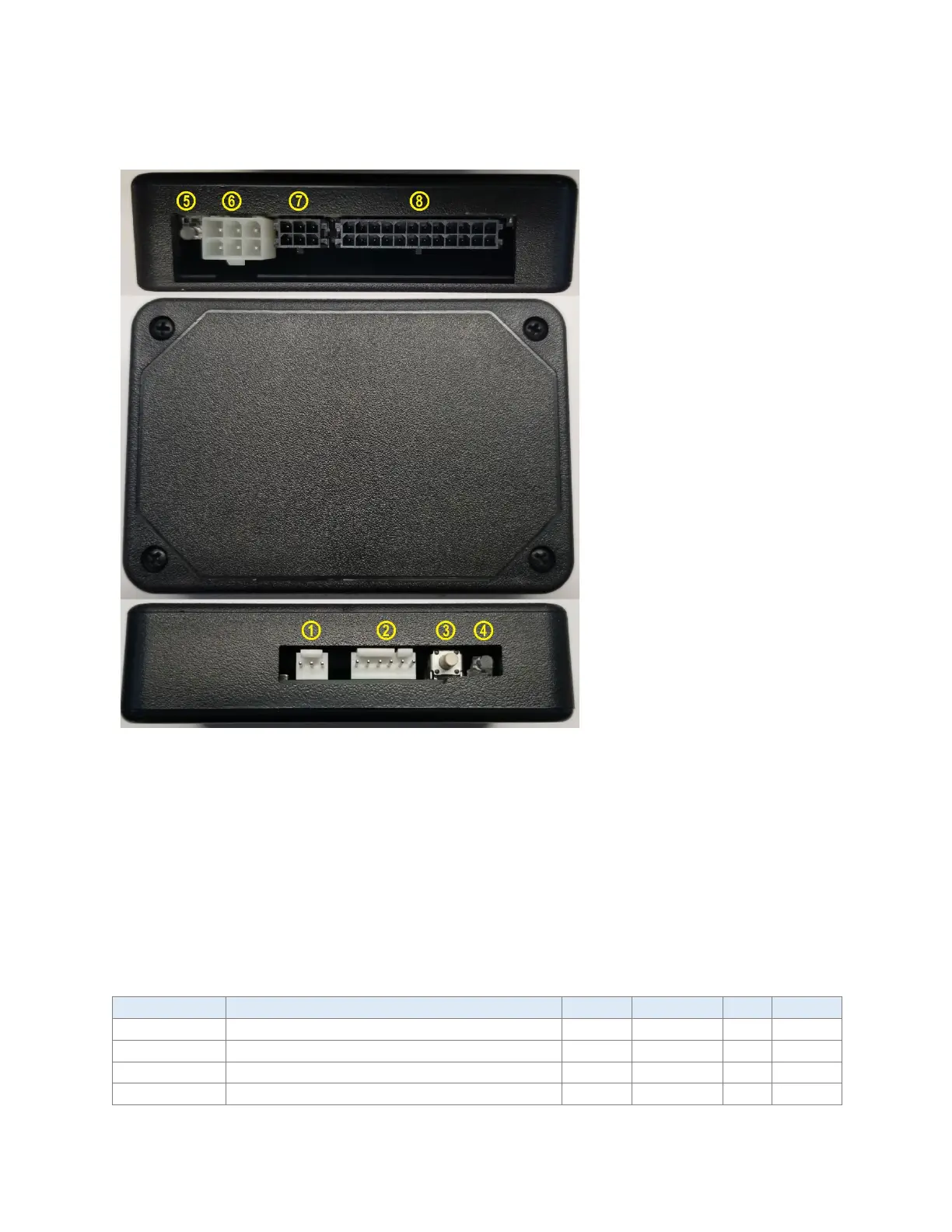
Interfaces
2. MACHINE (MDB in) Connector
3. Button
4. Power/Status LED
5. CARD LED
6. CARD (MDB out) connector
7. CONF connector
8. KEYPAD connector
Connectors
The “MACHINE” connector for connecting to MDB machine with MDB Cable Harness, KEYPAD
connector for Keypad Cable Harness and CONF connector for configuration plug.
With an appropriate keypad harness and configuration plug BKSelect can be connected to
keypad on any MDB machine type to provide touchless product selection.
The “CARD” MDB connector that can be used for installation into machines that only support
CPD1 but already have a card reader.
Absolute Maximum Ratings
MDB/GND Power supply, DC (filtered)
MDB/GND Power supply, DC (unfiltered)
MDB_OUT/GND output current



 To Next Page