EasyManua.ls Logo

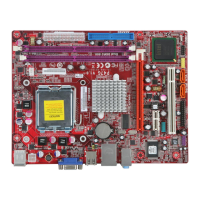
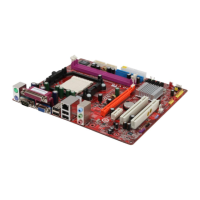
PC Chips M909G Series - User Manual

PC Chips M909G Series
64 pages
Print Icon
To Next Page IconTo Next Page
Loading...
i
Motherboard User’s Guide
This publication, including photographs, illustrations and software,
is under the protection of international copyright laws, with all
rights reserved. Neither this manual, nor any of the material
contained herein, may be reproduced without the express written
consent of the manufacturer.
The information in this document is subject to change without
notice. The manufacturer makes no representations or warranties
with respect to the contents hereof and specifically disclaims any
implied warranties of merchantability or fitness for any particular
purpose. Further, the manufacturer reserves the right to revise this
publication and to make changes from time to time in the content
hereof without obligation of the manufacturer to notify any person
of such revision or changes.
Trademarks
IBM, VGA, and PS/2 are registered trademarks of International
Business Machines.
Intel, Pentium II/III, Pentium 4, Celeron and MMX are registered
trademarks of Intel Corporation.
Microsoft, MS-DOS and Windows 98/ME/NT/2000/XP are
registered trademarks of Microsoft Corporation.
PC-cillin is a trademark of Trend Micro Inc.
AMI is a trademark of American Megatrends Inc.
It has been acknowledged that other brands or product names in
this manual are trademarks or the properties of their respective
owners.
Copyright © 2004
All Rights Reserved
M909G Series, V5.0
I845/August 2004
Question and Answer IconNeed help?

Do you have a question about the PC Chips M909G Series and is the answer not in the manual?

Summary

Motherboard Installation

Static Electricity Precautions

Safety guidelines to prevent damage from static discharge during handling.

Pre-Installation Inspection

Steps to visually check the motherboard for damage before installation.

Motherboard Components

Identifies and describes the physical components on the motherboard.

I;O Ports

Details the input/output ports available on the motherboard.

Install the Motherboard

Procedures for physically mounting the motherboard into a computer chassis.

Install Other Devices

Instructions for installing other system devices like drives and cards.

Installing the Processor

Step-by-step guide for installing the CPU onto the motherboard socket.

Installing Memory Modules

Instructions for installing RAM modules into the motherboard's DIMM sockets.

BIOS Setup Utility

Running the Setup Utility

How to access and navigate the BIOS setup interface.

PC Chips M909G Series Specifications

General IconGeneral
BrandPC Chips
ModelM909G Series
CategoryMotherboard
LanguageEnglish

Related product manuals