441A152 PEAK METER 6
Manual 23528 Rev. A
ECN 50523
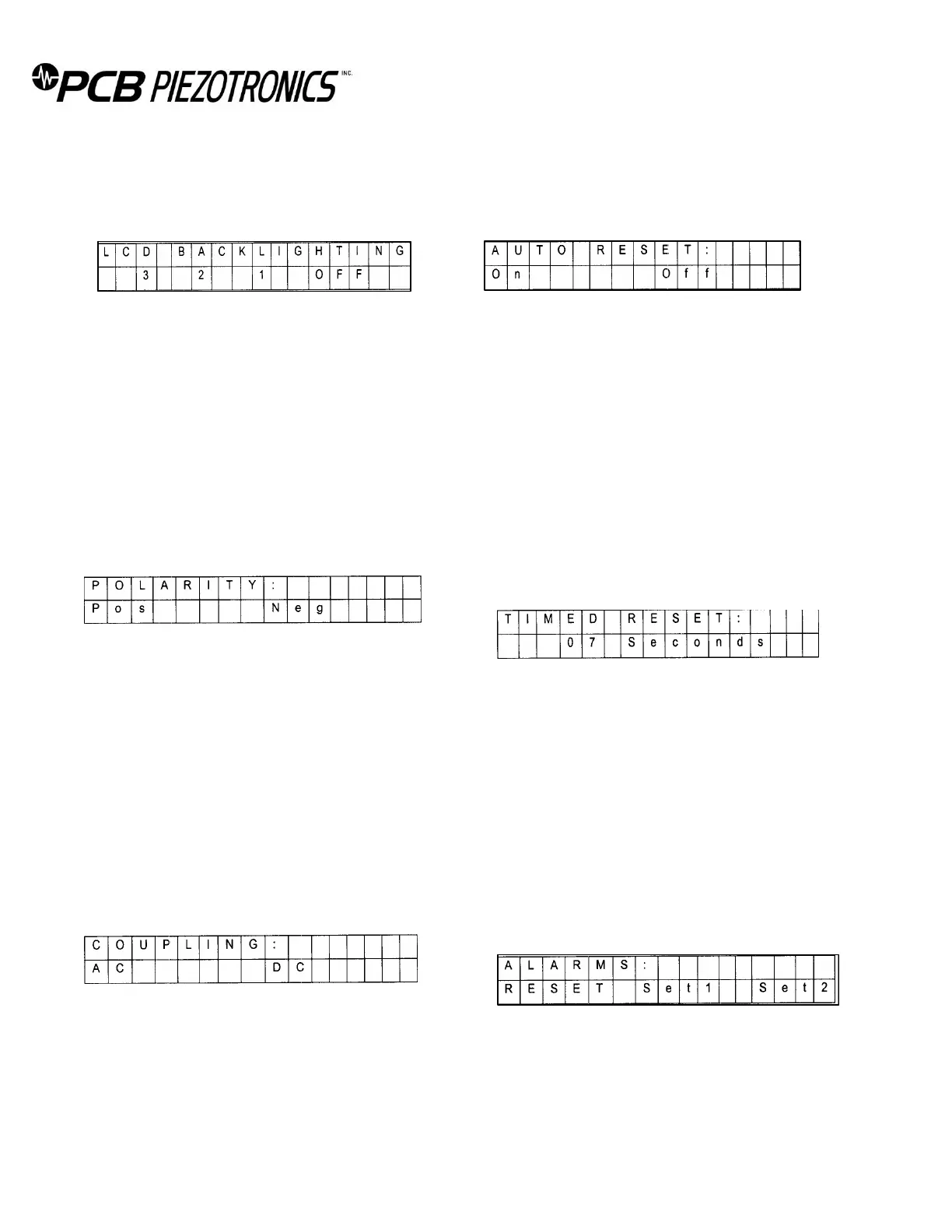
Setting the LCD Backlight (LCD menu)
From the OPTN menu, use the arrow buttons to navigate,
place the cursor on LCD and press ENTER. The following menu
should appear:
Using the arrow buttons to navigate, place the cursor on the
desired brightness level and press ENTER.
3: High
2: Medium
1: Low
Off: None
Setting the Polarity (POL menu)
From the main menu, using the arrow buttons to navigate,
place the cursor on POL and press ENTER. The following menu
should appear:
Using the arrow buttons to navigate, place the cursor on the
desired polarity and press ENTER.
Pos: Positive polarity. While operating in PEAK HOLD
mode, the 444A151 will look for positive going
voltages.
Neg: Negative polarity. While operating in PEAK HOLD
mode, the 444A151 will look for negative going
voltages.
AC/DC Coupling (LF menu)
From the main menu, using the arrow buttons to navigate,
place the cursor on LF and press ENTER. The following menu
should appear:
Using the arrow buttons to navigate, place the cursor on the
desired coupling (low frequency cut off) and press ENTER.
AC: AC coupled. If selected, the low frequency c cutoff
is approximately 0.05Hz.
DC: If selected, the 444A151 is capable of taking
measurements down to OHz.
Enabling Timed Reset (AUTO menu)
From the main menu, using the arrow buttons to navigate,
place the cursor on AUTO and press ENTER. The following
menu should appear:
Using the arrow buttons to navigate, place the cursor on the
desired selection and press ENTER.
On: Turn the automatic countdown timer on. See section
4.15.
Off: Turn the automatic timer off. This automatically sets
the RESET option to Manual.
Note:
The 444A151 must be set for PEAK HOLD mode to
activate the TIMED F.1ESET function
Setting the Timed Reset (AUTO menu)
If Auto Reset was selected, the following menu should
appear:
Using the arrow buttons to navigate, increase or decrease the
timer to the desired seconds. This is the interval between
resets. The countdown timer can be from the range of 01-99
seconds. The factory default is 07 seconds. Once the desired
interval is achieved, press ENTER. The 444A151 will
immediately return to the operational screen, and the
countdown will begin. A manual reset will override the
countdown, and the countdown timer will be reloaded.
Alarms (ALRM menu)
From the main menu, using the arrow buttons to navigate,
place the cursor on ALRM and press ENTER. The following
menu should appear:
It is possible to set two distinct threshold values.
To enable or disable either one of the set points, use the
arrow buttons to navigate, place the cursor on the desired set
point (Set1 or Set2) and press ENTER.



 To Next Page