Mainboard User’s Manual
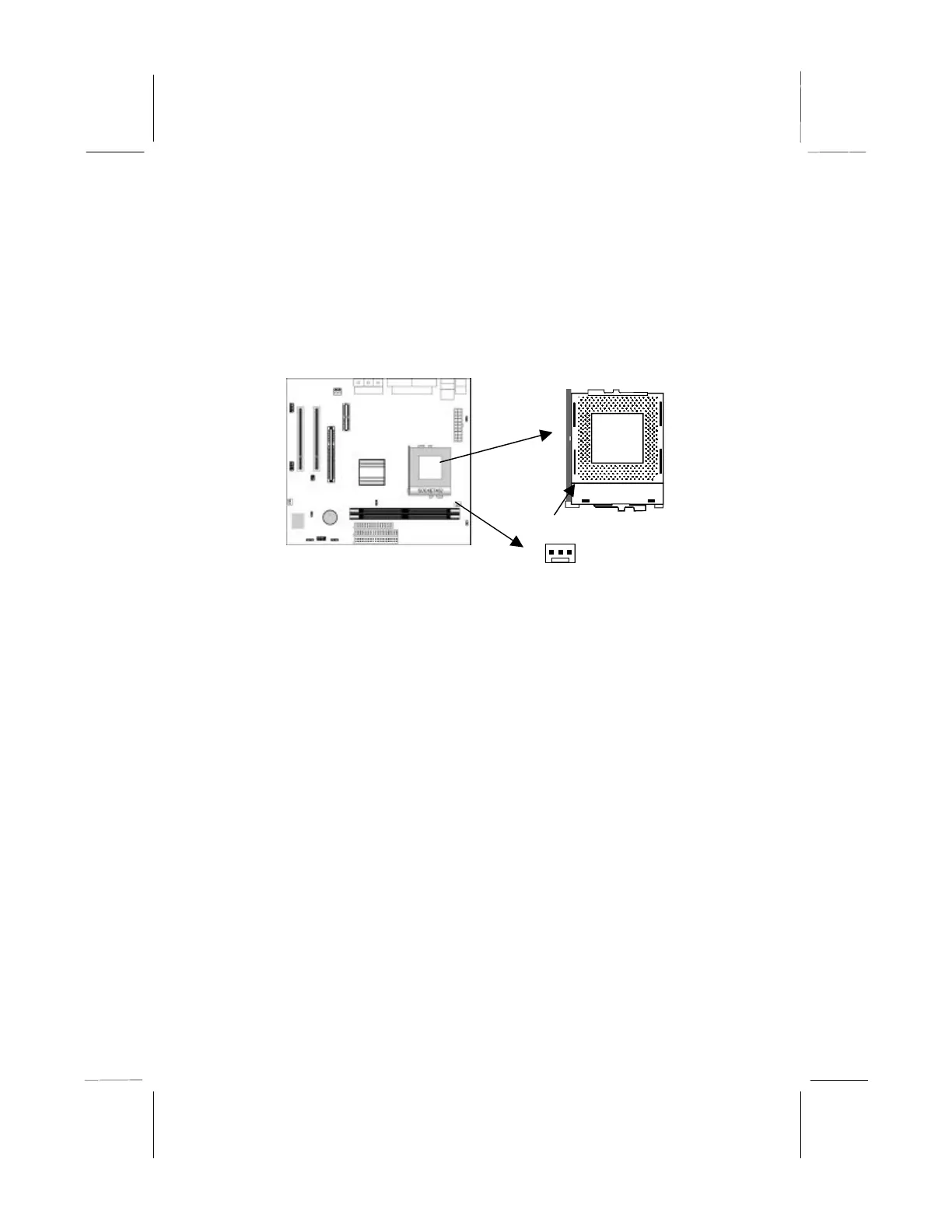
Installing a Socket-462 Processor
A processor installs into the ZIF (Zero Insertion Force) Socket-462
on the mainboard.
1. Locate the Socket-462 and CPUFAN. Pull the locking lever
out slightly from the socket and raise it to the upright position.
2. On the processor, identify the Pin-1 corner by its beveled edge.
3. On the Socket-462, identify the Pin-1 corner. The Pin-1 corner
is at the top of the locking lever when it locked.
4. Match the Pin-1 corners and insert the processor into the
socket. No force is required and the processor should drop into
place freely.
5. Swing the locking lever down and hook it under the catch on
the side of the socket. This secures the CPU in the socket.
6. All processors should be installed with a combination
heatsink/cooling fan (the original fan is recommended, the
others’ fan is not), connect the cable from the fan to the CPU
fan power connector CPUFAN.
Pin-1 Corner
Socket-462



 To Next Page