9 10
Meter Functions - Voltage (V)
Select the Volts “V” range with the
rotary switch.
The meter will automatically select
best voltage (V) range.
Select DCV or ACV with the function
dial.
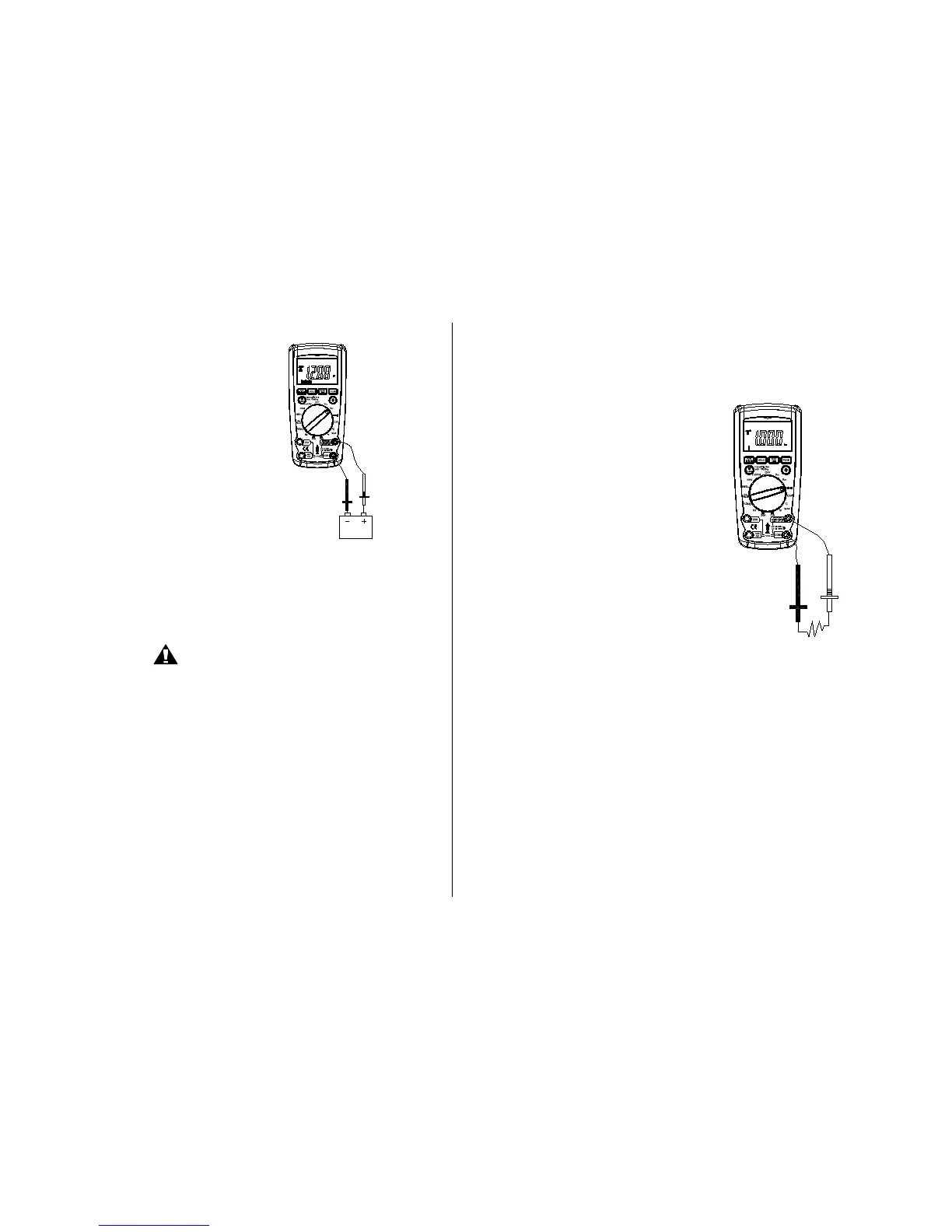
Insert:
Black lead in COM terminal.
Red lead in V-
-RPM terminal
Touch the Black probe to ground or to
the negative (-) circuit
Touch the Red probe to the circuit
coming from the power source
IMPORTANT: Voltage must be
measuring in parallel (Red probe
measuring circuit from power
source).
Meter Functions – Resistance (
)
IMPORTANT: If you are testing an
application that has capacitors in the
circuit, be sure to turn the power OFF
on the test circuit and discharge all
capacitors. Accurate measurement is
not possible if external or residual
voltage is present.
Select the Resistance “
”
range with the function dial.
Select the Resistance “
”
function with the Mode button.
Please Note: the DM-930 defaults to
resistance.
Insert:
Black lead in COM terminal.
Red lead in V-
-RPM terminal.
Touch the test lead probes across the
resistor to be tested.
WARNING
When measuring voltage,
be sure the Red test lead is
in the terminal marked “V”.
If the test lead is in an Amp
¦¸
Auto Power Off
4 2
Black-
Red +
¦¸
Auto Power Off
4 2
Black-
Red +


 To Next Page