11 12
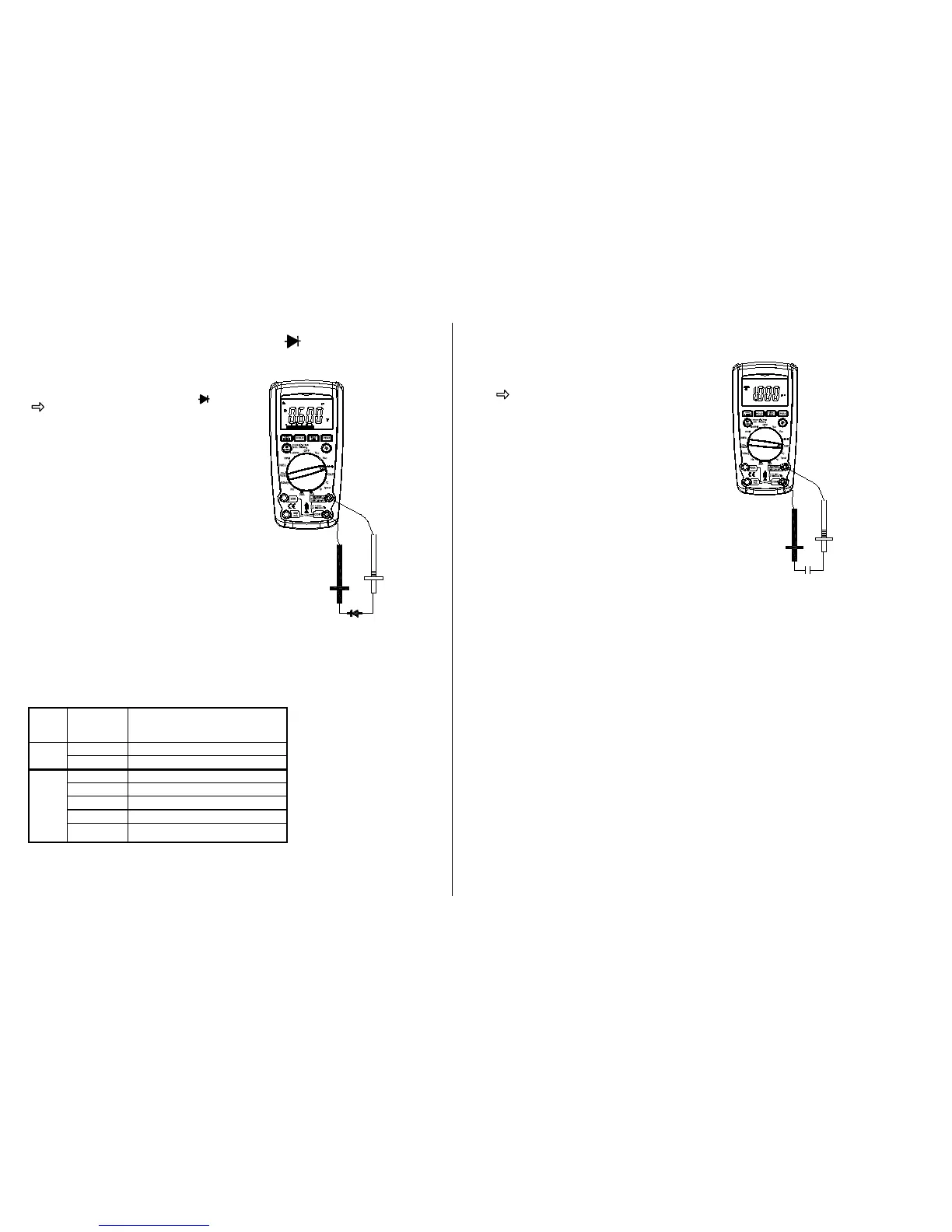
Meter Functions –Diode Check ( )
IMPORTANT: Turn the power OFF to
the test circuit
Select the Diode Check “ “
function with the function dial and
mode button.
Insert:
Black lead in COM terminal.
Red lead in V-
-RPM terminal.
Touch the Black test probe to the
negative (-) side of the diode.
Touch the Red test probe to the positive
(+) side of the diode. Reverse the
probes: Black to the positive
(+) side and
Red to the negative (-) side.
Note:
A “good” diode will read low in one
direction and high in the other direction
when the probes are reversed (or vice
versa).
A defective diode will have the same
reading in both directions or read
between 1.0 and 3.0 V in both
directions.
.000V
.000V
Meter Functions – Capacitance ( CAP )
IMPORTANT: Turn the power OFF to the test
circuit before performing any work.
Select the Capacitance “ CAP “
function with the function dial and
MODE button.
Insert:
Black lead in COM terminal.
Red lead in V-
-RPM terminal
CAUTION: When checking in-circuit
capacitance, be sure
that the circuit has all power
removed and all capacitors are
fully discharged.
Touch the test lead probes across the
capacitance circuit to be tested.
Read the measured value from the
LCD display.
Note:
1. The bar graph is disabled in capacitance measurement mode.
However, since the measurement time of 4mF and 40mF modes is
quite long (3.75s and 7.5s respectively) the bar graph is used to
display the time remaining to complete the measurement.
2. In order to obtain an accurate reading, a capacitor must be
discharged before measurement begins. The meter has a built-in
discharge mode to automatically discharge the capacitor. In
discharge mode, the LCD displays “DIS.C”
3. Discharging through the chip is quite slow. It is recommended to
discharge the capacitor by other means when possible.
¦¸
Auto Power Off
4 2
Black-
Red +
¦¸
Auto Power Off
4
2
Black-
Red +


 To Next Page