-RPM terminal.
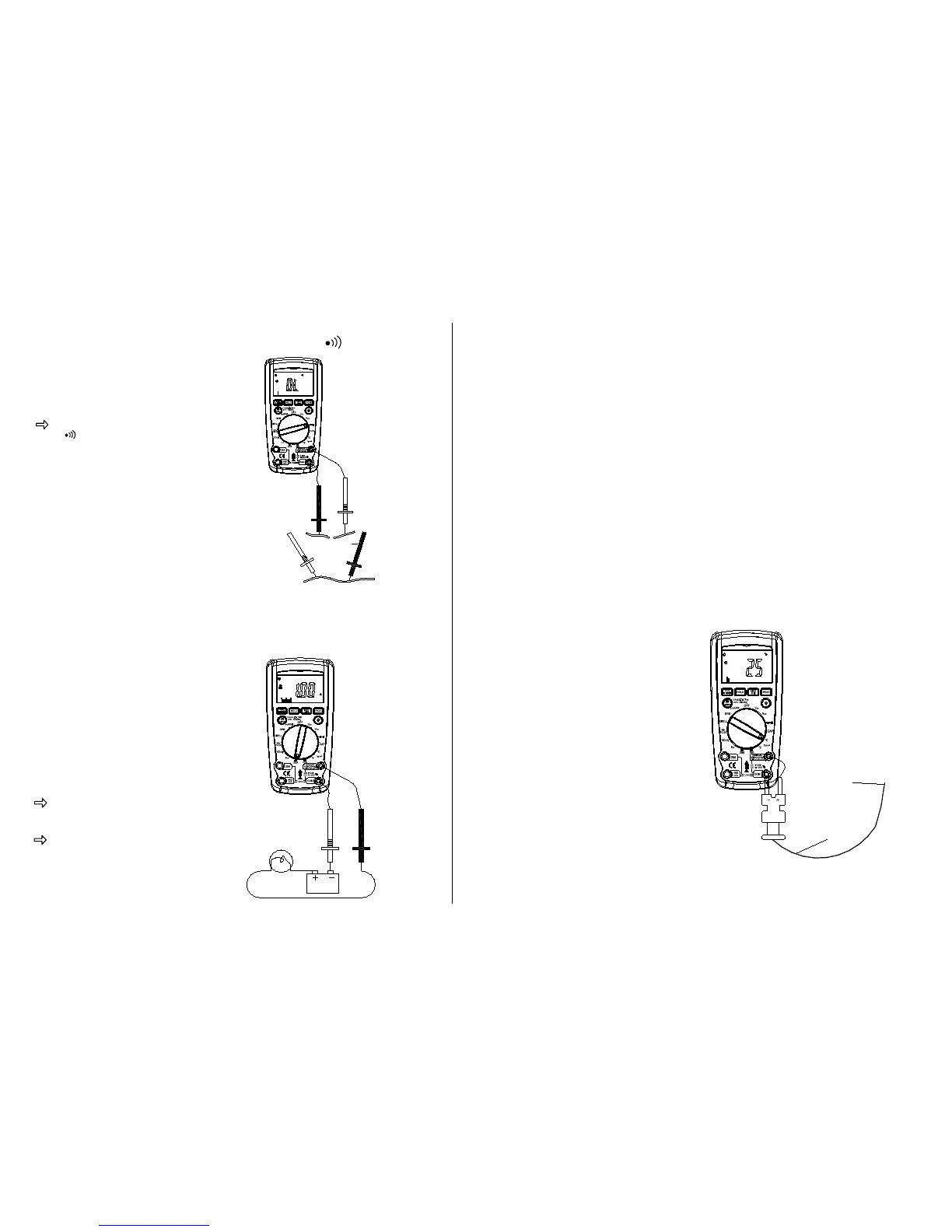
Touch one test probe to each end of
the circuit to be tested.
Circuit complete, the meter will
beep continuously.
Circuit open, there is no beep and
the display shows to OL (over limit).
Meter Functions – AC or DC Current (A)
IMPORTANT: All current measured
flows through the meter.
It is important that you:
Do Not Exceed 30 seconds when
measuring continuous current
between 1A-20A. Allow five
minutes for cool down before
continuing with any other
measurements.
Select the “20A” or “mA” range
with the function dial.
Press the mode button to select
AC or DC.
Insert:
Black lead in COM terminal.
Red lead in the 20A or mA terminal
(select 20A if you are unsure of the
current draw).
IMPORTANT: Turn OFF all power to
the circuit or disconnect the circuit
from the power source.
Connect:
The Red probe to the side of the
circuit closest to the power source.
The Black probe to the side of the
circuit to ground.
Turn the power ON and test.
Meter Functions –Temperature (°C / °F )
IMPORTANT: To avoid heat
damage to the meter, keep it
away from sources of very high
temperature. The life of the
Temperature Probe is also
reduced when subjected to
very high temperatures. Probe
operating range is
–58
o
to 482
o
F.
Select the T
emperature
“°C or °F” function with the
function dial.
Insert the temperature probe
connector into the K-type
thermocouple adapter. Insert the
adapter into the front of the meter
as shown.
Touch the end of the temperature
sensor to the area or surface of
the object to be measured.


 To Next Page