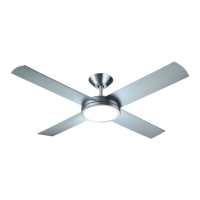
KITE CEILING FAN LED
Installation Manual
REV 2023 0511
SPECIFICATIONS AND DETAILS ARE SUBJECT TO CHANGE WITHOUT NOTIFICATION. CONTACT PEACOCK FAN COMPANY FOR UP TO DATE DETAILS.
PEACOCK FAN COMPANY • PEACOCKFAN.COM
SAVE THESE INSTRUCTIONS
6
MAINTENANCE
TROUBLESHOOTING
Because pf the fan's movement, some connections may become loose over time. Check the support connections, brackets, and blade attachments twice a year. Make sure they
are secure. This does not require the fan being removed from the ceiling.
Clean your fan periodically to help maintain its new appearance over the years. Use only a soft brush or lint-free cloth to avoid scratching the finish. The plating is sealed with a
lacquer to minimize discoloration or tarnishing. Do not use water when cleaning. Water could damage the motor, wood, or possible cause an electrical shock.
Apply a light coat of furniture polish to the wood blades for additional protection. Cover small scratches with a light application of shoe polish.
There is no need to oil your fan. The motor has permanently lubricated bearings.
WARNING: To reduce the risk of electric shock, ensure electricity had been turned off at the circuit breaker or fuse box before attempting any repairs and refer to the "ELECTRI-
CAL CONNECTIONS" section of this installation guide.
Problem: Fan will not start.
Solution: Check circuit fuses or breakers for power. With the main power off, check line wire connections to the fan and switch wire connections in the switch housing.
Problem: Fan is making a noise.
Solution: Make sure all motor housing screws are secure. Make sure the screws that attach the fan blade bracket to the motor hub are secure.
With the main power off, make sure wire nut connections are not rubbing against each other or the interior wall of the switch housing. Allow a 24-hour "break-in" period for
noise associated with installation.
Make sure glassware screws and bulbs are secure
Make sure the upper canopy is not touching the ceiling
Problem: Fan is wobbling.
Solution: Check that all blade and blade arm screws are secure. Check the fan blade levels by selecting a point on the ceiling above the tip of one of the blades. Measure the
distance from blade to ceiling. Rotate the fan until the next blade is position for measurement. Repeat for each blade, The distance deviation should be equal or withing 1/8".
Use the enclosed blade balancing kit if the blade wobble is still noticeable or swap two blades to redistribute the weight for a smoother operation.
WARNING: To reduce the risk of personal injury, do not bend the blade arm while installing, balancing, or cleaning the fan. Do not insert objects in the path of blades.


 To Previous Page