EasyManua.ls Logo

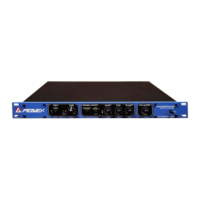
Peavey DeltaFex - Power Switch; Input Level Control

Peavey DeltaFex
23 pages
Print Icon
To Next Page IconTo Next Page
To Previous Page IconTo Previous Page
Loading...
ENGLISH
DeltaF
Twin
Thank
you
for
purchasing
the
DeltaFex
/DeltaFex
T
win.
This
unit
is
the
best
digital
stereo
effects
proces¬
sor
value
on
the
market
today.
Designed
for
live
sound
or
home-studio
applications,
the
DeltaFex
/
DeltaFex
Twin
delivers
a
great
selection
of
effects
allowing
it
to
easily
handle
vocal,
guitar,
keyboard,
and
drum
applications.
FRONT
PANEL
FEATURES
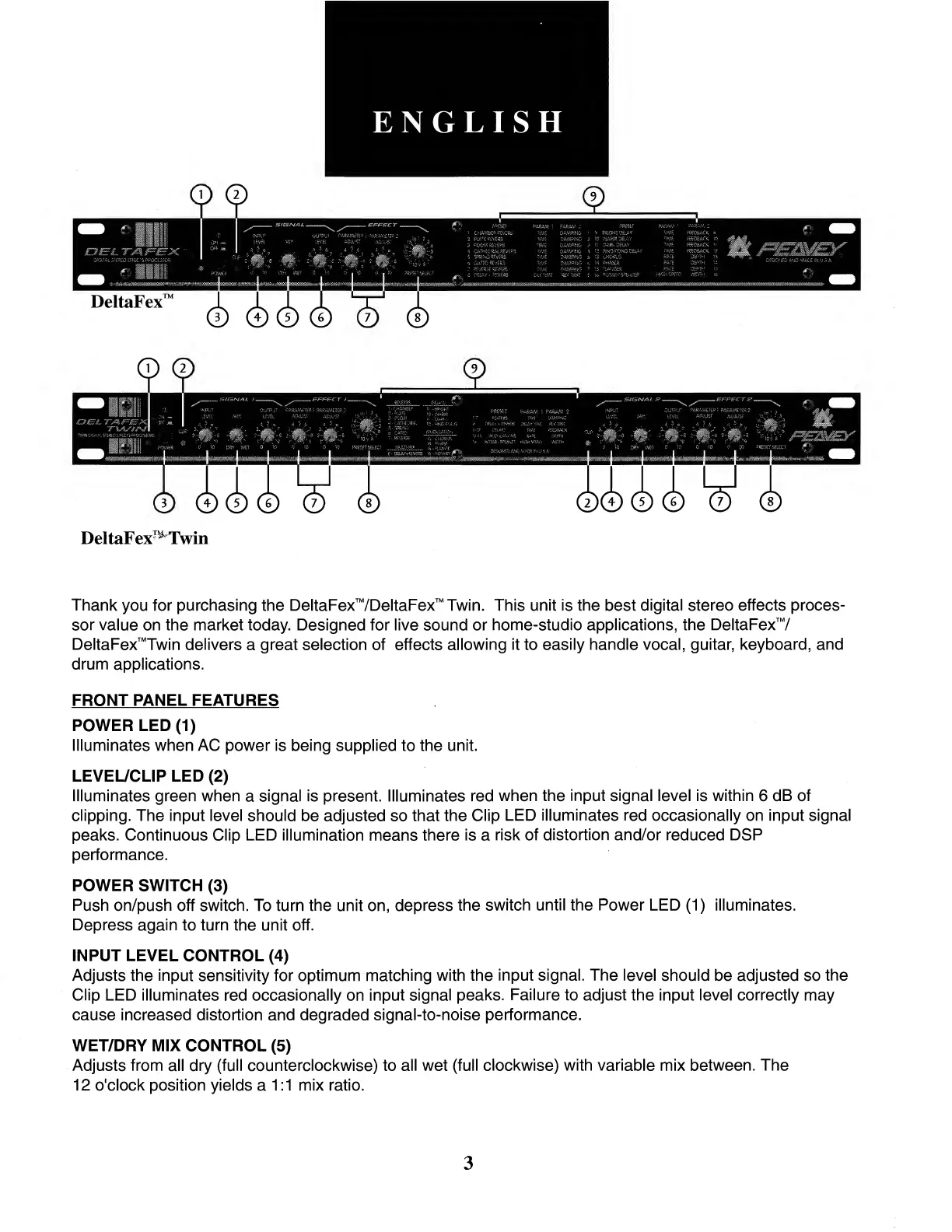
POWER
LED
(1)
Illuminates
when
AC
power
is
being
supplied
to
the
unit.
LEVEL/CLIP
LED
(2)
Illuminates
green
when
a
signal
is
present.
Illuminates
red
when
the
input
signal
level
is
within
6
dB
of
clipping.
The
input
level
should
be
adjusted
so
that
the
Clip
LED
illuminates
red
occasionally
on
input
signal
peaks.
Continuous
Clip
LED
illumination
means
there
is
a
risk
of
distortion
and/or
reduced
DSP
performance.
POWER
SWITCH
(3)
Push
on/push
off
switch.
To
turn
the
unit
on,
depress
the
switch
until
the
Power
LED
(1)
illuminates.
Depress
again
to
turn
the
unit
off.
INPUT
LEVEL
CONTROL
(4)
Adjusts
the
input
sensitivity
for
optimum
matching
with
the
input
signal.
The
level
should
be
adjusted
so
the
Clip
LED
illuminates
red
occasionally
on
input
signal
peaks.
Failure
to
adjust
the
input
level
correctly
may
cause
increased
distortion
and
degraded
signal-to-noise
performance.
WET/DRY
MIX
CONTROL
(5)
Adjusts
from
all
dry
(full
counterclockwise)
to
all
wet
(full
clockwise)
with
variable
mix
between.
The
12
o'clock
position
yields
a
1:1
mix
ratio.
3

Related product manuals