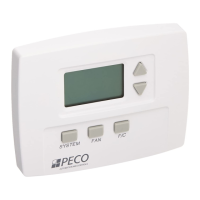
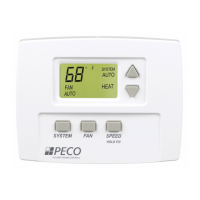
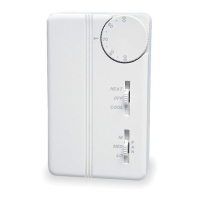
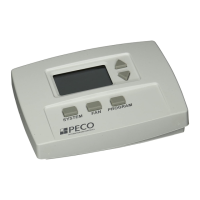
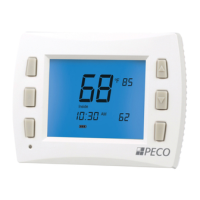
USER OPERATION
All changes are saved when the thermostat times out.
Fan and System user selectable options are determined in the
Service Menu.
Room Temp. and Adjustable Set Point (desired) Temp.: Unless
adjusted in the Service Menu, the thermostat displays the current room
(Zone) temperature. To adjust the desired room temperature (set point
value), press either the UP or DOWN arrow key.
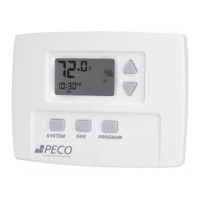
System Button Operation: Continue to press the System button to
change the current (ashing) system mode.
OFF: All thermostat outputs are disabled.
HEAT: The thermostat operates as a Heating only thermostat.
COOL: The thermostat operates as a Cooling only thermostat.
AUTO: The thermostat automatically selects the appropriate Heat
or Cool mode depending upon the Set Point (Desired Temp) and
Zone Temperature (Actual Temp).
SETBACK: If enabled in Service Menu 14, SETBACK will display
as an available mode selection. This mode is an energy saving
feature that minimizes heating and cooling when the room is
not occupied. The thermostat will control to the SETBACK Heat
•
•
•
•
•
•
•
© COPYRIGHT 2007 PECO, INC. ALL RIGHTS RESERVED. P/N 69287 3220-2084 REV 0 PAGE 3
and Cool Set Points, rather than the standard Set Points. When
a demand for heating and cooling exists, the fan will run at the
lowest speed. When in SETBACK, the display will show the room
temperature along with the SETBACK icon. Key presses will
have no effect on the Setback operation except for the System
Switch Selection button, which allows the user to exit this mode.
Fan Button Operation: Continue to press the Fan button to change the
current (ashing) fan mode.
ON: Fan is on continuously, even if no demand for heating or
cooling exists.
AUTO: Fan cycles with active demand for heating and cooling.
Speed or F/C Operation:
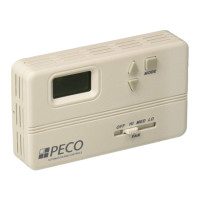
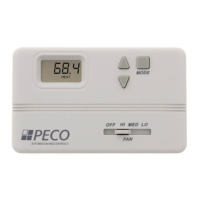
SPEED: For units with a speed button (TA170 Models), the user
can choose the desired fan speed by pressing the speed button.
If you are operating a TA170 congured with only 1 speed fan,
this button is disabled.
F/C HOLD: On units with F/C HOLD below the SPEED icon
(TA170 Models), hold button for 5 seconds to toggle the display
between Fahrenheit and Celsius readings.
F/C: Push button to toggle between Fahrenheit and Celsius scale
•
•
•
•
•
Determines temperature displays in Fahrenheit or Celsius.
Choose if you want the Set-Point or Zone (roo m) temperature to be the primary display on the thermostat.
The amount of time (in seconds) the lowest available fan speed will run after the thermostat outputs are disabled.
The lowest selectable temperature Set-Point value.
The highest selectable temperature Set-Point value.
The temperature Set-Point value you want the thermostat to Heat to when the T170 is in th e Setback m ode.
The temperature Set-Point value you want the thermostat to Cool to when the T170 is in the Setback mode.
Zone Temperature offset adjusts the sensed Zone Temperature reading from the A to D converter, allowing calibration in the field.
Allows you to choose what the occupant can access. The Service Menu is still available if Key Pad L ock Out is ON.
ON1 = Disables Sys/FAN/Status
ON 2 = Disables all buttons
OFF = No keypad lock out.
FAN ON
FAN AUTO
FAN ON or AUTO
ON = Fan is always on, regardless of demand.
AUTO = Fan is only on with heating or cooling demand.
ON or AUTO = User can choose either selection.
1 - High
2 – Low and High
3 – Low, Med, High
1 Speed = Fan High
2 Speed = Fan Low and Fan High
3 Speeds = Fan Low, Medium, and High
Off, Auto
Off, Heat, Cool, Auto
Off, Heat, Cool
Heat, Cool, Auto
Allows you to determine what system modes the occupant can select.
Controlled Off
or Off Override
When ON, the unit will control to the Setback Set-Points and override the user mode setting of OFF if the room temperature is equal
to or above the Cool Setback Set-Point o r equal to or below the Heat Setback Set-Point.
Front Panel
Setback Control
When enabled / ON, SETBACK is shown as an available System mode selection. If SETBACK mode is selected, the thermostat will
control to the current Setback Heat and Setback Cool Set Points.
Cycled Outside
Air (OA) Damper
ON - Continuous
OFF - Cycles
OFF - Cycled = OA output cycles with active heat or cool demand.
ON - Continuous = OA output is active anytime the thermostat is out of the OFF mode.
ON = Temp. Based
OFF = Time Based
Determines if the Purge Cycle will be Temperature or Time based.
A changeover deadband value prevents short cycling between Heating and Cooling modes. The value is adjustable to meet various
HVAC system requirements.


 To Next Page
 Loading...