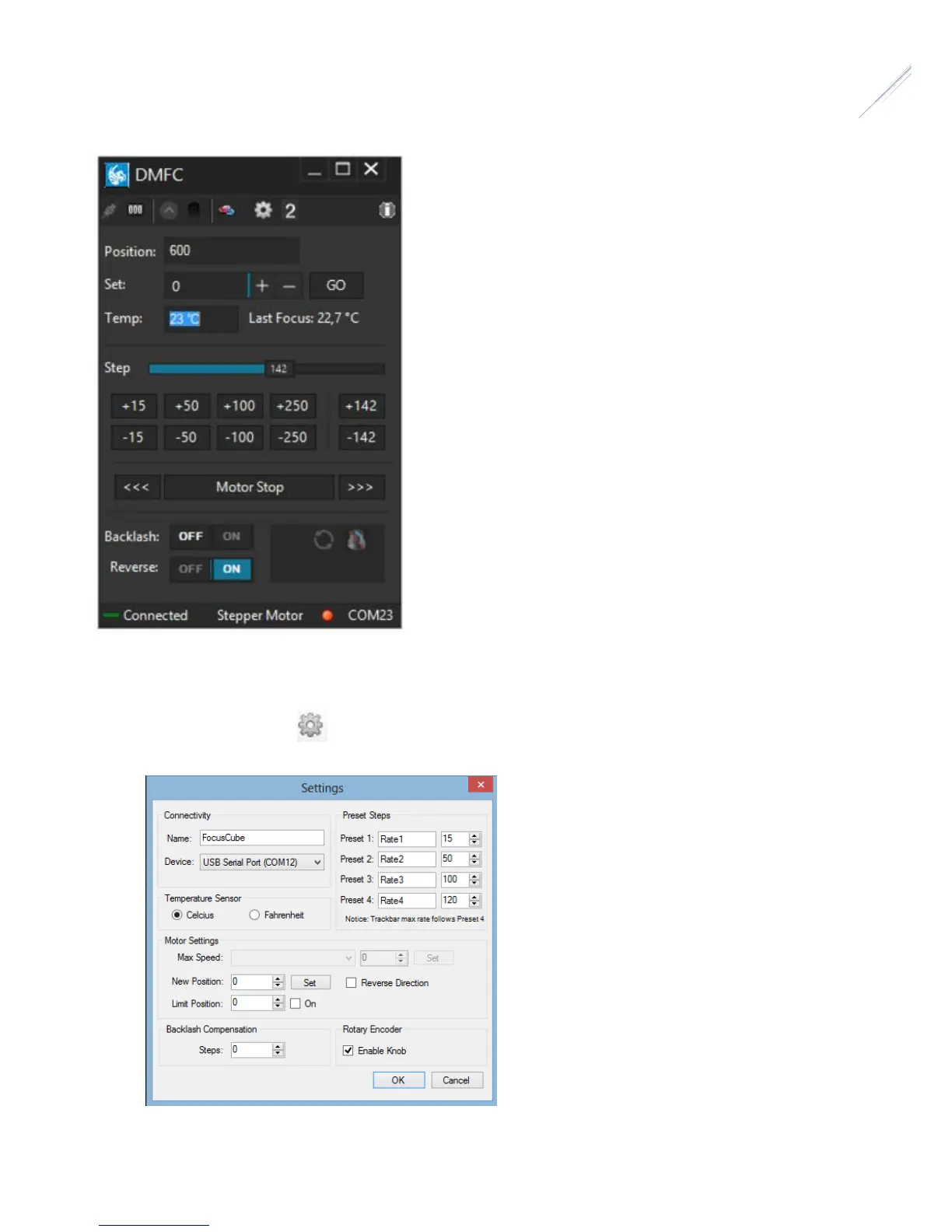
Standalone DMFC Application
Standalone application does not require ASCOM drivers and it can configure / operate the FocusCube controller.
In order to connect from the supplied software to the controller, you need to first configure the serial port
• Click on “Settings” icon
The following window appears
• Click “Device”. A drop-down list of discovered DMFC controller will appear. Choose the “FocusCube” and click “OK”


 To Next Page