15
ADJUSTING THE TEMPERATURE IN THE APPLIANCE
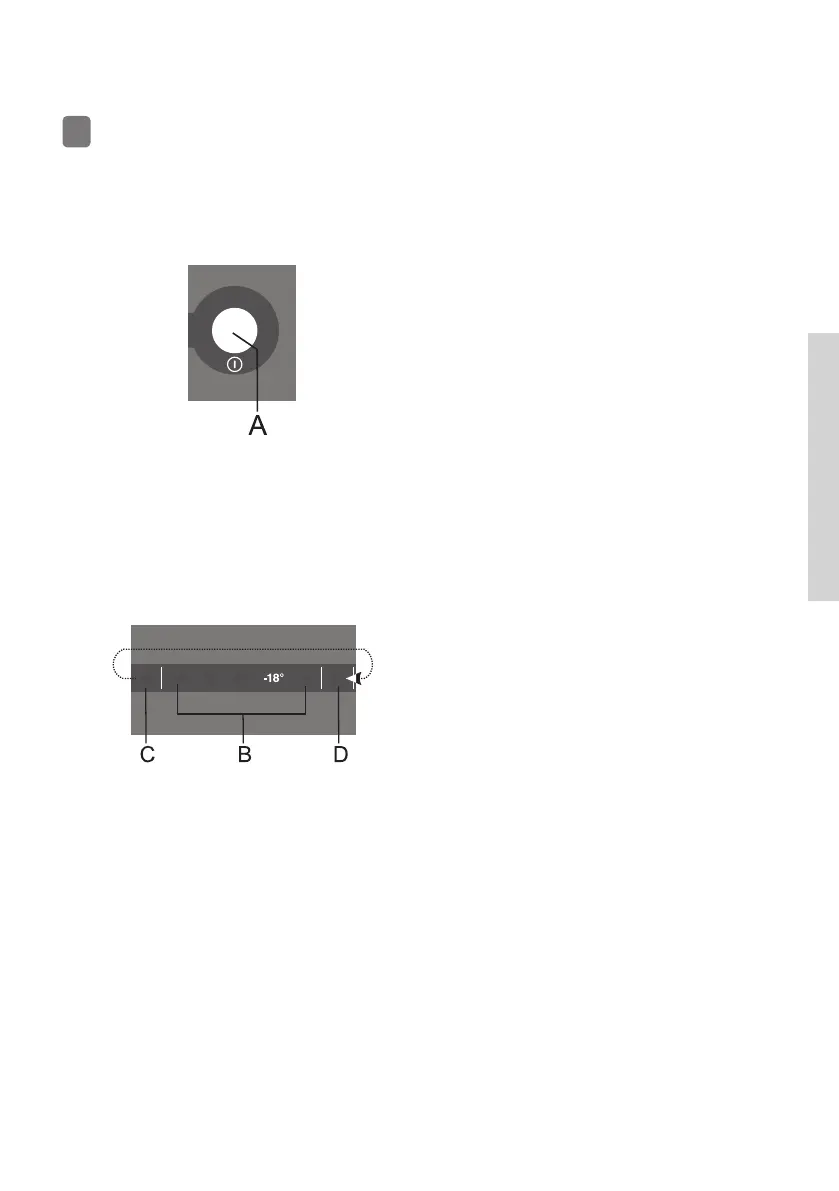
• Adjust the temperature as desired
using the A key.
• Press the A key (several times) until
the desired temperature indicator
lights up.
• When the A key is pressed for the
fi rst time, the currently set value
or function will start to fl ash. Every
successive time you press the A key,
the settings indicator will move to
the next setting (from right to left, in
a circular manner).
• After three seconds, the setting
will stop fl ashing. Your setting will
be stored and the corresponding
indicator will be continuously lit.
The numbers -24, -22, -20, -18 and -16
indicate the degrees Celsius (°C) in the
appliance.
• The recommended temperature
setting is –18 °C.
• The factory default setting is the recommended temperature of –18 °C.
• After the appliance is switched on, it may take several hours for the set
temperature to be reached. Do not place any food into the appliance
before the temperature has dropped to the selected setting.
640044



 To Next Page