3
Adjusting Roller Tension (continued):
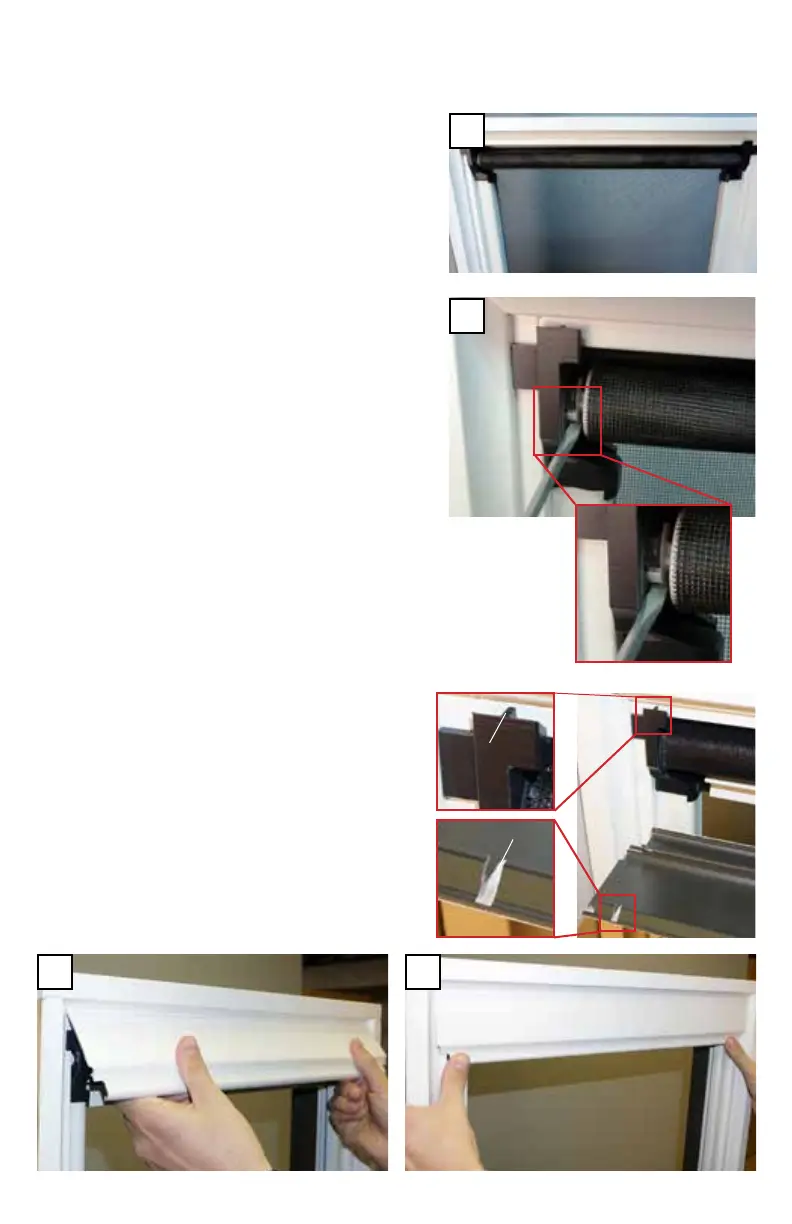
B. Make sure the screen is in the lowered/
closed position.
3B
C. Locate the gear on the left side of
the screen cartridge. Use a flat blade
screwdriver to push the gear so it clicks,
each click equals 1/8 of a turn of tension
addition, (8 clicks = 1 turn). Depending
on the width unit, the number of turns
(full rotations) required to add tension
will vary.
3C
D. Re-install the head cover. Hook the cover
over the cartridge with the cover slot and
the end cap tab aligned, rotate the bottom
down and press near the ends until the
cover clicks into position.
3D 3D
Tab
Slot



 To Next Page