6
MEMBER SUPPORT
7
|
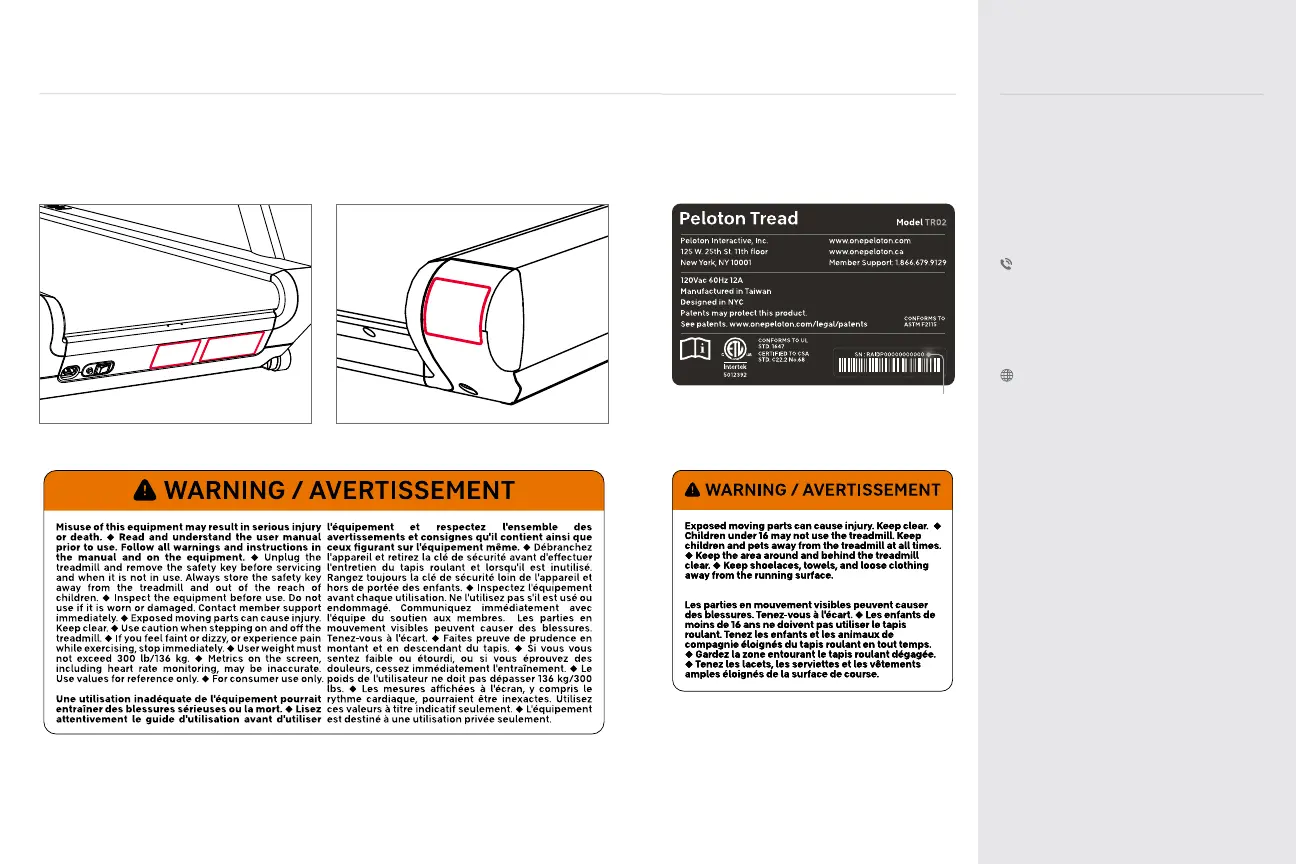
LABELS
Familiarize yourself with all warnings on the Tread before use.
If any label is damaged or lost, contact member support for a replacement immediately.
The serial number indicates this unit’s
date of construction. For example,
‘RAPID1200417xxxx’ would mean that the
unit was constructed on 17 April 2020.
A
A
B
C
*
*
C
B
MEMBER SUPPORT
Peloton’s #1 concern is member
satisfaction. If you require assistance or
are experiencing issues with your Peloton
Tread, please contact member support for
additional help.
US 1.866.679.9129
CAN 1.833.821.0099
UK +44.808.169.6469
DE +49 32211001778
support.onepeloton.com
When you contact member support, have
the following information ready:
1 Tread ID/serial number
†
2 Purchase Date
3 Your order number or the email address
associated with your Tread purchase
†
To access the Tread ID/serial number
from the touchscreen, tap the menu icon
at the lower right, and select About.


 To Next Page