7
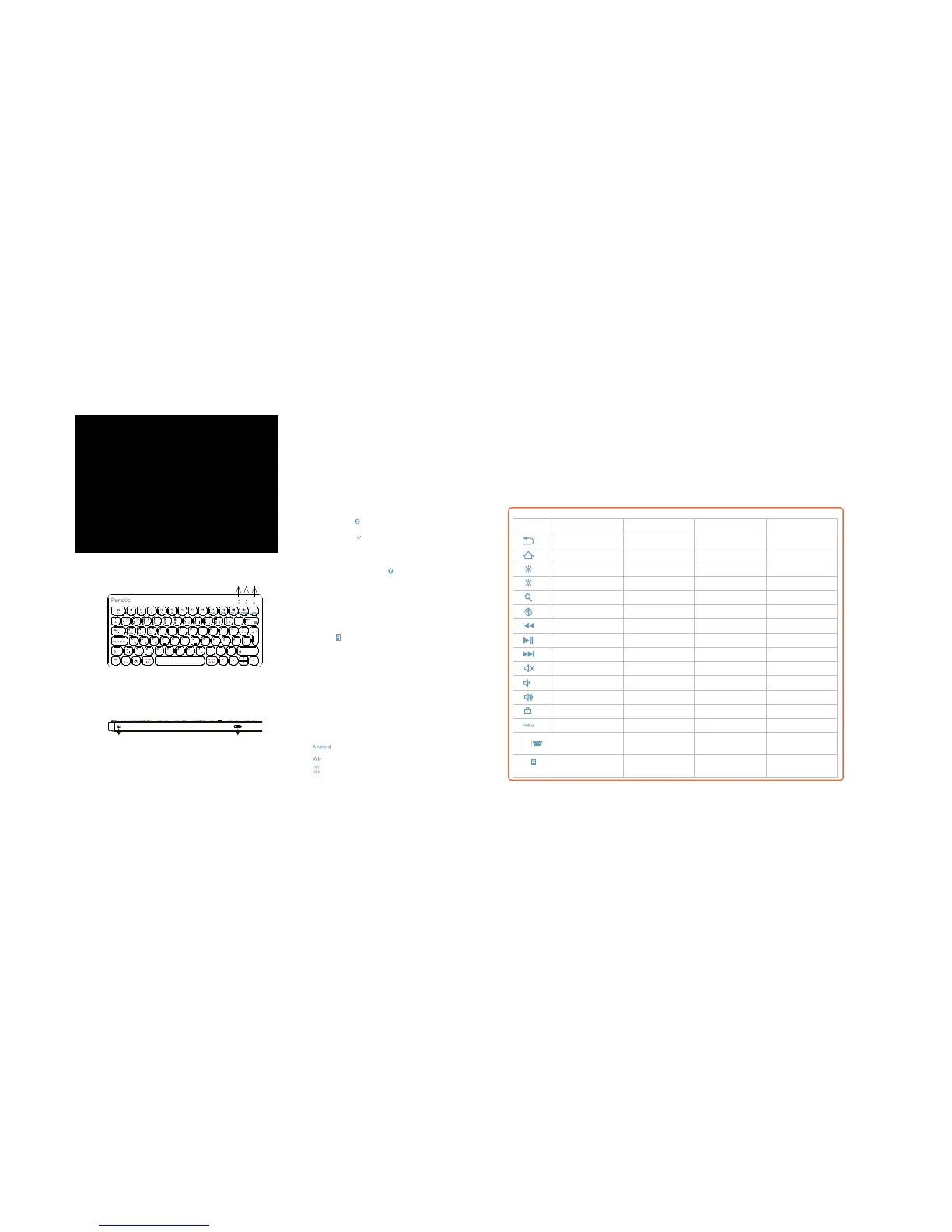
1. Caps Lock Indicator
2. USB/Bluetooth Connection Indicator and
Bluetooth Status Indicator
3. Power, Charging, and Battery Power Indicator
Android iOS Windows OSX
Back N/A N/A N/A
Home Home Web Browser N/A
Reduce Brightness Reduce Brightness Reduce Brightness Reduce Brightness
Increase Brightness Increase Brightness Increase Brightness Increase Brightness
Search for Search for Search for N/A
N/A Switch Language N/A Switch Language
Previous Track Previous Track Previous Track Previous Track
Play/Pause Play/Pause Play/Pause Play/Pause
Next Track Next Track Next Track Next Track
Mute Mute Mute Mute
Volume down Volume down Volume down Volume down
Volume up Volume up Volume up Volume up
Screen Lock Screen Lock Screen Lock N/A
N/A N/A PrintScrn N/A
N/A Keyboard
Display
N/A N/A
Battery Power
Display
Battery Power
Display
Battery Power
Display
Battery Power
Display
Keys and functions
Select your operating system after connecting
to device.
Keyboard combination Operating system
Fn +
Android
Fn +
PC
Fn +
iOS och OSX
Function list of escape and function key row.
Light function description
1. Caps Lock Indicator: The blue light will be on.
2. USB / Bluetooth state indicator:
Press ”Fn +
” switch to wireless connection.
Light will turn blue.
Press ”Fn +
”switch to wired connection
when cable is connected. Light will turn green.
Bluetooth connect status indicator: Blue light will
flash after pressing the ”Fn +
” keys together.
3. Power Indicator: Slide the power button
to right side, the power indicator will turn
green. Charging Indicator: Red light whilst
charging, turns off once fully charged.
Battery power display indicator.
Press ”Fn +
” to show battery status. Status
indication: Flashing green. ( Each flash represents
25% battery. One Flash 25% charge. Two Flashes,
50% charge. Three Flashes, 75% charge. Four
Flashes, 100% charge)
For the Windows tablets, Hold Fn and press key simultaneously to activate action.
Fn+
Fn+
EN
Welcome to the quick guide.
Penclic Mini Keyboard combines
ergonomically sound design with
modern keyboard technology to
bring you comfort and efficiency.
4 5
4. Power switch, move right (left in picture) to
turn on.
5. Micro USB port, for wired connection and
charging
/
Entf
Str g
Str g
Bild
Pos 1
End e
Bild
1 2 3



 To Next Page