27
Setting up the system setup screens
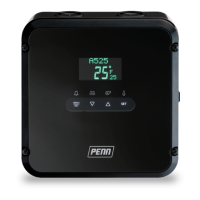
To begin the set up procedure for the A5xx Controller, define the following settings for the refrigeration system in
the system setup screens.
• System date and time. For more information, see Setting up the system date and time
.
• System components. For more information, see Setting up the system components
.
• Sensor types
• Evaporator fan motor type
• Defrost system type
• Optional defrost termination type
• QREV/PSHC setup when you select the QREV
• System setup parameters. For more information, see Setting up the system setup parameters
.
• System name
• Temperature units
• Display brightness
• Keypad sound
• Update firmware
• Optional user security passcode
• Language


 To Next Page