5-1
Chapter 5 Settings & FAQ
Chapter 5 Settings & FAQ
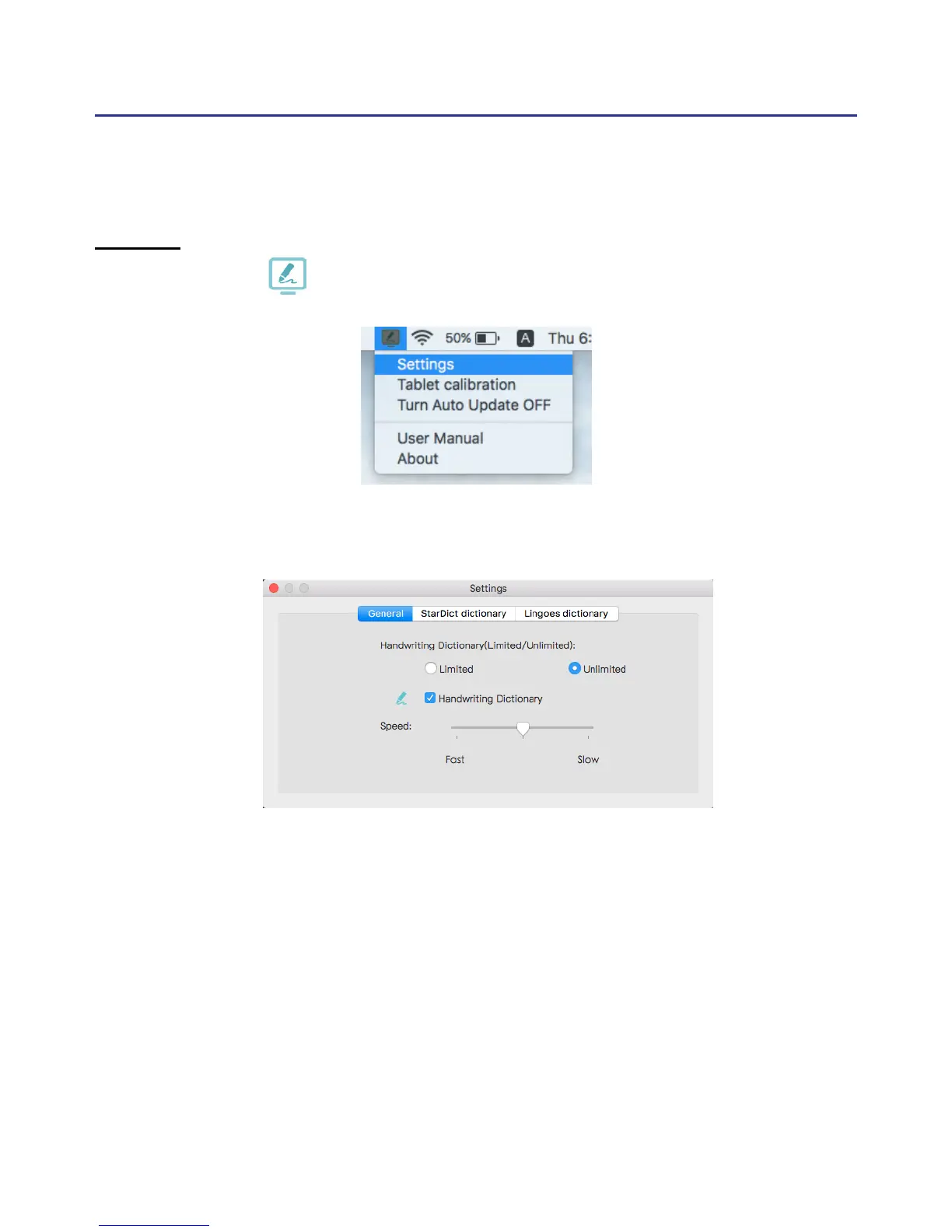
Settings
Please click on the upper-right corner of desktop toolbar to open
the Settings.
If you nd inaccuracies handwriting or any oset just click [Writing
Pad calibration] to calibrate again.
If you don't need Write to Dene function, please check the option to
disable. Moreover,in the Write to Dene function, you can choose to write
in Unlimited Handwriting Mode or limited Handwriting Mode, and also
can increase or decrease the recognize speed after you write.
If you still have any question about the operation, please click [About]
to send the feedback ,please note to describe your question in details, and
we will reply as soon as possible.



 To Next Page