6
Complete solution
SWITCHING ON/OFF
SWITCHING ON
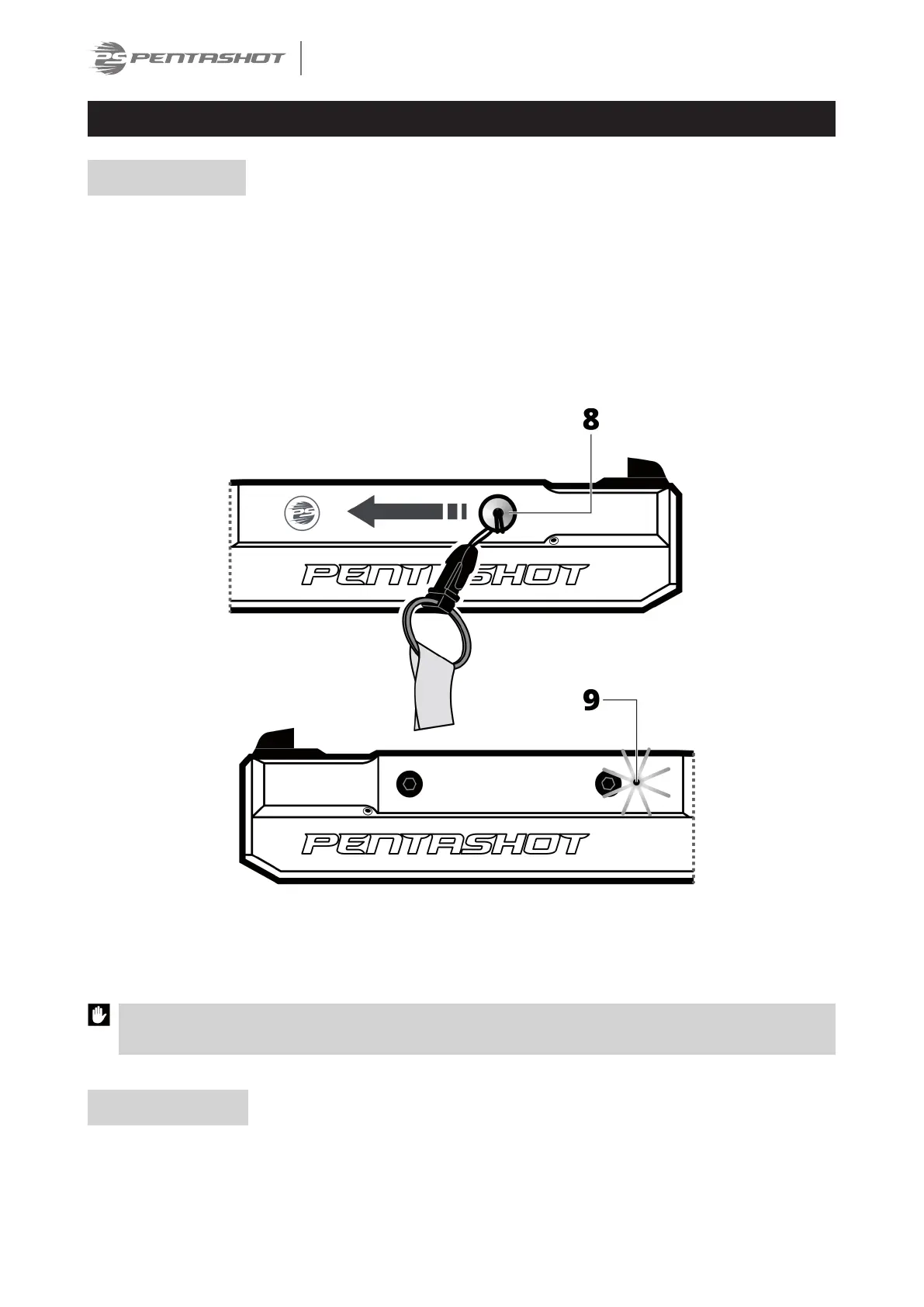
Attach the chip (8) to the simulator body and move it from right to left. This will switch simulator ON
and the LED (9) will flash. The number of flashes indicates the battery status:
• 5 flashes – the battery is 100% full
• 4 flashes – the battery is at 75% charge level
• 3 flashes – the battery is at 50% charge level
• 2 flashes – the battery is at 25% charge level
• 1 flash – the battery is discharged, replace it.
After the battery test, the LED light remains constantly blue to indicate the laser is on and ready for
use.
The LED flashing continuously blue means the battery is discharged and it should be immediately
replaced.
SWITCHING OFF
The laser container will switch off approximately 20 minutes after the last shot. In case you need to
switch it off immediately, remove the battery from the simulator body.


 To Next Page