Page 25
Operatinginstructions
1. Introduction
2. Properuse
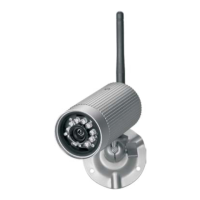
TheAppCameraistobeusedforthesurveillanceofhomes(eg.rooms,entrance
hallways,driveways),petsorotherobjectsthroughvideopicturesandsound.
Theoperationofthecameraandviewingoftheimagesiscarriedoutthroughan
App (App for iPhone and Android is available free of charge, not suitable for
WindowsandBlackberrysmartphones)onasmartphone or tablet PC. The local
connection is via a WiFirouter. Ifthe localnetwork isconnected tothe internet
then the viewing through the App is possible via internet (a minimum upload
speed or badwidth of 1000 Kbps is required, >2000 Kbps recommended).
The system isable tosend notification viaApp andan Email messageto report
motiondetection.
Up to six cameras can be viewed through a smartphone /tablet. Up to three
userscanaccessthecameraconcurrently.
The plug and play technology of the AC50 automatically establishes a direct
and secure connection between the smartphone / tablet and the camera. It is
not necessary to set up an IP address and access via browser is not possible.
Details about the compatibility and availability of the App are available at
www.indexa.de.
Video and sound can be recorded on a microSDHC card (max. 32 GB, not
included) fitted in the camera. The recording can be started manually or
automaticallythroughamotiondetectionsoftware.
Eachrecordingistwo minutesdurationandisstoredwithtimeanddate..Aring
memory function may be selected so that the oldest data will be overwritten
when the memory card is full. The recordings can be viewed via App on a
smartphone/tablet,orby putting the card into a reader attached to aPCwitha
viewerprogramme.
The camera is powered through the supplied mains adapter connected to a
230VAC,50Hzmainssupply.
If there is sufficient light a colour picture will be transmitted. At low ambient
light levels the integrated Infrared LEDs are automatically switched on. In this
case theimmediate area (max. 5 m)will be illuminated and the video picture
switchestoblackandwhitemodeforimprovedlightsensitivity.
An infrared cut filter is mechanically switched in order to optimise the picture
qualityduringdaylightandatnighttime.
Ifthesurveillanceisspecificallyrequiredinadarkenvironment,thenadditional
lightingshouldbeinstalled.
The camera is weatherproof (Protection class IP66) and can be used not only
v
Read through these operating instructions fully and carefully. The operating
instructions belong to this product and contain important points concerning
bringingtheapplianceintoserviceanditsoperation.
Always payattention to all safety instructions. Should you haveany questions
or be unsure about operating the appliance ask a specialist. Keep these
instructions in a safe place and should the need arise pass them on to a third
party.
indoorsbutalsoformountingoutside.Whereverpossibleitshouldbeprotected
from direct rainfall. The monitor and both mains adapters are for indoor use
onlyandmustbeprotectedfrommoisture.
The camera is for use in private households. A video surveillance system does
notreplaceyour duty of care or supervision.Observetheregulationsconcerning
videosurveillanceincommercialandpublicareas.
Anyotheruse or modification of thedevice is notauthorised. Noliability will be
acceptedforconsequential damages or for damagescaused byimproper use or
incorrect operation. No liability will be accepted for consequential damages
caused by any function or by malfunction. Unless any liability is specifically
required by law, claims for damages, in particular those for personal injury or
propertydamage caused bynon-functioningormalfunctioningofthe machine,
areexcluded.
This appliance is not intended to be used by people (including children) with
restricted physical, sensoryor mentalcapacities, or alack ofexperience and/or
knowledge,unless they are supervisedby,orreceiveinstructionshow to use the
appliancefromapersonresponsiblefortheirsafety.
tomainsadapterandforWiFirouter
Antenna
mainsadapter5.9VDC
Camerabracketwithscrewsandplugs
Usermanual
Reset-button
3. Package conten
4. FeaturesandEquipment
!
!
!
!
!
ts(s.fig.A)
Camerawithconnectioncable
Camera (s.fig.A)
1 Daylightsensor
2 Lens
3 PowerLED
4 InfraredLEDs
5 Connection-LED
6 Antenna
7 Triangularnut
8 Wingscrew
9 Bracket
10 SlotformicroSDHCcard
11 Microphone
12 Antennaconnection
13 Fixingholeforbracket
14 LANcableconnection
15 Mainsadapterconnection
16
17 Mainsadapter
18 Plugs
19 Screws
GB
GB - 25


 To Next Page
 Loading...