FOCUSING
8
Autofocus mode
Set the focus mode lever on the camera to AF.S (single mode) or AF.C (continuous mode),
and press the shutter release button halfway down to start the autofocus operation.
✍ Memo :
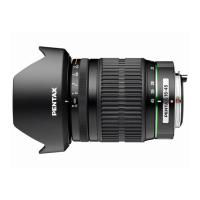
• During autofocus, do not touch the focusing ring of the DA 16-45 mm f/4ED AL lens, otherwise
you will interfere with proper lens movement and damage the DA lens.
Manual focus mode
Set the focus mode lever on the camera to MF (manual focus mode), then focus by turning
ring and checking the focus indicator in the viewfinder.
✍ Memo :
• It is possible to focus manually without changing the focus mode to MF after adjusting the focus
on the subject in the AF.S mode. (
☞
p9 Quick-shift focus system)


![Preview: DA FISH-EYE 10-17mm f/3.5-4.5ED [IF]](https://data.easymanua.ls/products/1474233/200x200/pentax-da-fish-eye-10-17mm-f-3-5-4-5ed-if.webp)




 To Next Page