
 Need help?
Do you have a question about the Pentax O-GPS1 and is the answer not in the manual?
Provides a welcome message and outlines the manual's structure and language.
Covers trademark, terminology, and the general safety statement for the GPS unit.
Explains specific warning and caution symbols and their meanings, along with precautions.
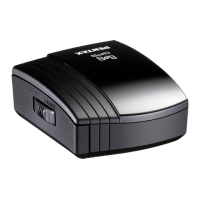
Identifies and describes the various parts of the PENTAX GPS Unit O-GPS1.
Lists the main functionalities of the O-GPS1, including navigation and ASTROTRACER.
Details compatible camera models and necessary firmware updates for GPS functionality.
Highlights operational constraints, such as flash usage, Live View, and ASTROTRACER limits.
Step-by-step instructions for inserting the AAA battery into the GPS unit.
Lists the types of AAA batteries compatible with the GPS unit.
Provides essential notes on battery exhaustion indication, long-term storage, and replacement procedures.
Guides the user on how to securely attach the GPS unit to the camera's hot shoe.
Warns about potential damage during unit removal and handling to prevent breakage.
Explains the procedure for powering the GPS unit on and off using the power button.
Describes the status lamp behavior for battery level and conditions for GPS function activation.
Details the process to calibrate the electronic compass for accurate operation.
Provides important considerations for calibration, including time, handling, and battery status.
Describes attaching the unit and the initial process of acquiring a GPS signal.
Explains the meaning of the status lamp and GPS icons for data availability and accuracy.
Guides on how to view the electronic compass and associated location data on the camera monitor.
Mentions that the compass display may stop if the camera mode changes and notes on True North.
Steps to choose a destination and view its direction and distance from the current location.
Instructions for saving, loading, or deleting destination information from a memory card.
Details the process of loading destination lists from and saving them to a memory card.
How to select specific destinations from a list and confirm their deletion.
Instructions on how to save a current shooting location as a navigation destination.
A note specific to the 645D model regarding SD card slot usage for saving data.
Guides on setting exposure/focus modes and selecting the ASTROTRACER function.
Details the procedure for performing precise calibration required for ASTROTRACER.
Explains how to set the exposure time, including timed exposure options.
Describes how to initiate shooting with ASTROTRACER and the screen displayed after completion.
Outlines critical cautions for ASTROTRACER use, including shutter lock and feature limitations.
Allows the user to define the duration for receiving GPS data (positioning frequency).
Explains how the camera's date and time are automatically updated using GPS signals.
Notes on how the positioning interval setting affects the camera's metering operating time.
Discusses environmental and geographical factors that may affect GPS signal reception.
Covers restrictions on use in certain locations, travel regulations, and data privacy.
Explains how magnetic fields from objects like magnets or iron can interfere with the compass.
Clarifies that recorded time is UTC, but adjusted for local time zones when using certain functions.
States the product's compliance with EU directives and provides a link for the full declaration.
Details the 12-month warranty against defects in material or workmanship.
Outlines the steps for returning the product for warranty service and related procedures.
Addresses FCC rules compliance for devices operating in the United States.
States compliance with Canadian standards for digital apparatus.
Provides contact information and addresses for PENTAX and HOYA CORPORATION globally.
Explains the meaning of the CE Mark as a conformity mark within the European Union.
Announces the official renaming of the company division and its continued brand commitment.

 To Next Page
 General