•
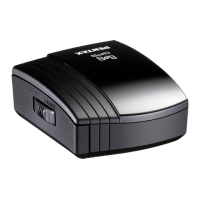
Turning
the
GPS
Unit
On/Off
.~.--
..
'''''
.....
•
• •
7 7
•
•
-,
•
•
•
•
•
•
•
,
• ,
I
•
,
0
I
•
,
I
,
I
80s
,
(blue)
t
.....
".-
...
•
,
,
"'",n2W"
1 Press
and
hold
the
powe
r
button
for
one second.
The GPS unit turns
on
and the
80s
lamp
lights up or blinks (depending on the
positioning statu
s),
2 To
turn
the
power
off
,
press
and
hold
the
power
button
for
one
second
again
.
•
,
1
I
!
"
,
-,
,
il
-,
,
0'
~
J
• Wh
en
the battery is
com
pletely exhausted, the
~
lamp' does not illuminate. When the battery
is
runni
ng
lOW,
the
c:;::II
lamp blinks as follows, In
.
this
conditi'on,
replace
the
battery wi,
th
a
new
or
"
i;!
f
ull
y-char
ged
on
e.
,57
H'
,
"
:~'
..
When
th
e,
exp
osu
re' metering
timer
'
df
the .
".
::.
camera
is
,
off:
, Blinks every 3.seconds
-
When
Jhe
e)::posure metering timer
of
the
l:a1l)9:fa is on: Blinks every 2 seconds
• The functions which '
emp
l
oy
GPS (Electronic
, Compass! Simple Nav(gation aod •
i'
ASTROTRACERl are not enable,d wben the
camera.is turned off, or
when
the·camera
's
Auto
, power
Qff
function
is
actIVated
.
l
~
you
w
an
t
to
" .
.,"
..
.
::,.,
use
th.e
E
l
e
.
~ronlc
Compass
or
Simp
le
d;'
';;
:::I~
Navigatlon function"'
cOl')
t
iOu,ously
',
canbel
.t
he
.
....
, . . .
ii~i'
.csr1
era
's
AU!Rf9
;
~
.
~
~
~
~
Rf!
.run.ctfo
"
n
in
adv~n?e.
7


 To Next Page
 Loading...