Photo, Video & Audio Playback 37
Using the Playback Menu
English
Move
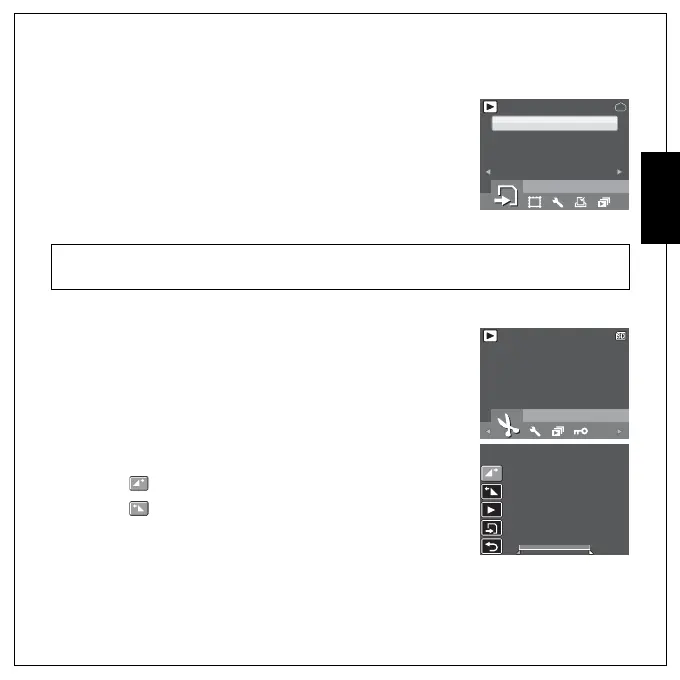
The Move function allows you to move images stored in internal memory
to a memory card.
To move an image:
1. Press the MENU button to select MOVE from the menu.
2. Press the Up/Down navigation buttons and the OK button to select
from the 3 available options:
• THIS IMAGE: Select to move the current image to a memory card.
• ALL IMAGES: Select to move all images to a memory card.
• EXIT: Select to exit to the main menu.
Divide
The Divide function allows you to cut unnecessary portions of a video.
This feature is useful when the memory capacity is insufficient or when
users want to trim video clips.
To move an image:
1. Press the MENU button to select DIVIDE from the menu.
2. Press the OK button to enter the edit mode.
3. Use the Up/Down navigation buttons to select the portion of the
video you want to delete.
• : Beginning of the new video clip
• : End of the new video clip
4. Press and hold the Left/Right navigation buttons to specify the
beginning and end position of the new video clip and release at
the frame you want to stop.
Note:
The Move function is only available when you choose internal memory as the storage media and an SD/
SDHC card has been inserted into the camera.
MOVE
12M
1/1
1/1
THIS IMAGE
ALL IMAGES
EXIT
DIVIDE
640
1/140
1/140
Press OK to enter
00:00:37
00:00:37
00:00:37
00:00:37



 To Next Page