62
Taking Pictures
4
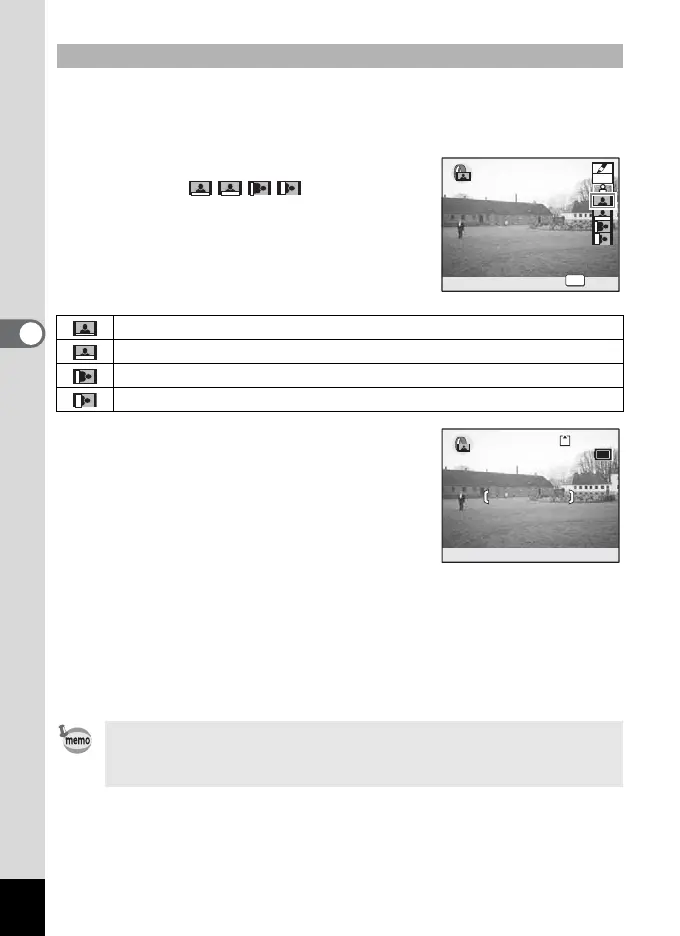
You can take a picture leaving a small space at the right side or at the
bottom so that you can comment on it by hand. You can choose a style
of the comment space from four types.
4 Use the four-way controller (23)
to select .
5 Press the OK button.
The comment space is selected and the
camera is ready to take the picture.
6 Press the shutter release button halfway.
The focus frame on the LCD monitor will light green when the camera
is in focus.
7 Press the shutter release button fully.
The picture is taken with a small space.
Taking Pictures with Comment Space
leaves 1/8 of a picture at the bottom as a comment space.
leaves 1/4 of a picture at the bottom as a comment space.
leaves 1/8 of a picture at the left side as a comment space.
leaves 1/4 of a picture at the left side as a comment space.
When you use the Focusing Area mode with the comment space,
make sure that the focus frame and the comment space do not
overlap one another. (
1p.74)
OK
OK
OK
SOFT
SOFT
2
12:00
2
12:00
5/24/2005
5/24/2005











 To Next Page