135
5
Playing Back and Deleting Images
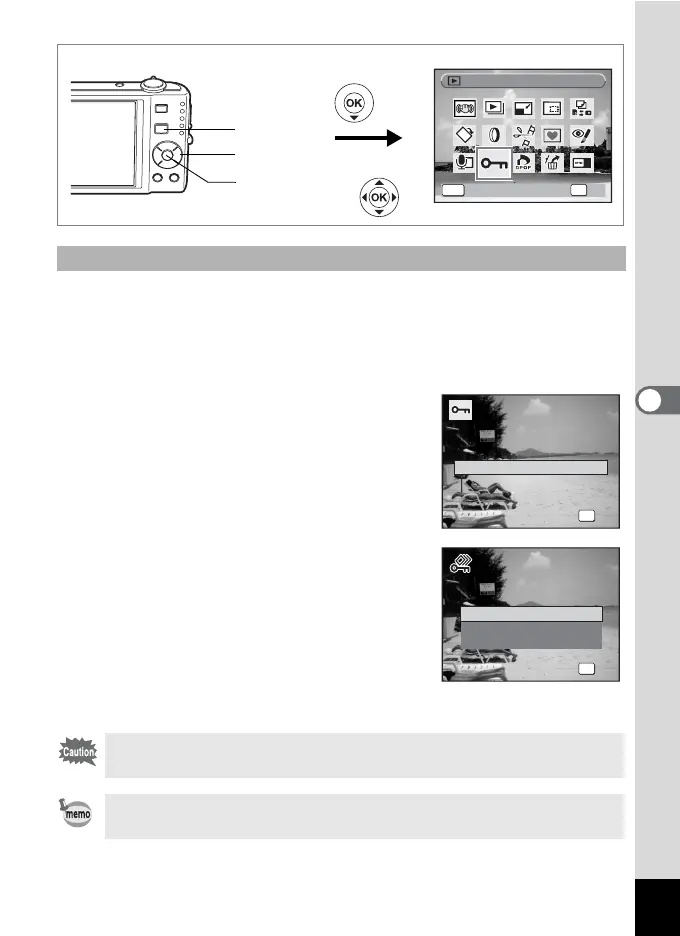
1 Press the four-way controller (3) in Q mode.
The Playback Mode Palette appears.
2 Use the four-way controller (2345) to select Z
(Protect).
3 Press the 4 button.
The screen for selecting [Single Image/
Sound] or [All Images/Sounds] appears.
4 Use the four-way controller (23)
to select [All Images/Sounds].
5 Press the 4 button.
The screen for selecting [Protect] or
[Unprotect] appears.
6 Use the four-way controller (23)
to select [Protect].
7 Press the 4 button.
All the images and sound files are protected.
Protecting All Images and Sound Files
Protected images and sound files will be deleted when the SD
Memory Card or built-in memory is formatted.
To cancel the Protect setting on all your images and sound files,
select [Unprotect] in Step 6.
Protect
Protect
OK
OK
OK
MENU
Cancel
Cancel
Four-way controller
4 button
Q button
All Images/Sounds
Single Image/Sound
S ingle I m a g e/Sou n d
Single Image/Sound
OK
OK
OK
Cancel
Cancel
P rotec t a l l imag e s / s o unds
Protect all images/sounds
OK
OK
OK
Protect
Unprotect
Cancel



 To Next Page