103
3
Taking Pictures
3
Use the four-way controller (23)
to change the number of
recorded pixels and frame rate.
4
Press the 4 button.
The setting is saved.
In C (Movie) and (Underwater Movie) modes, you can correct camera shake
while you are recording a movie with the Movie SR (Movie Shake Reduction)
function.
The default setting is O (On).
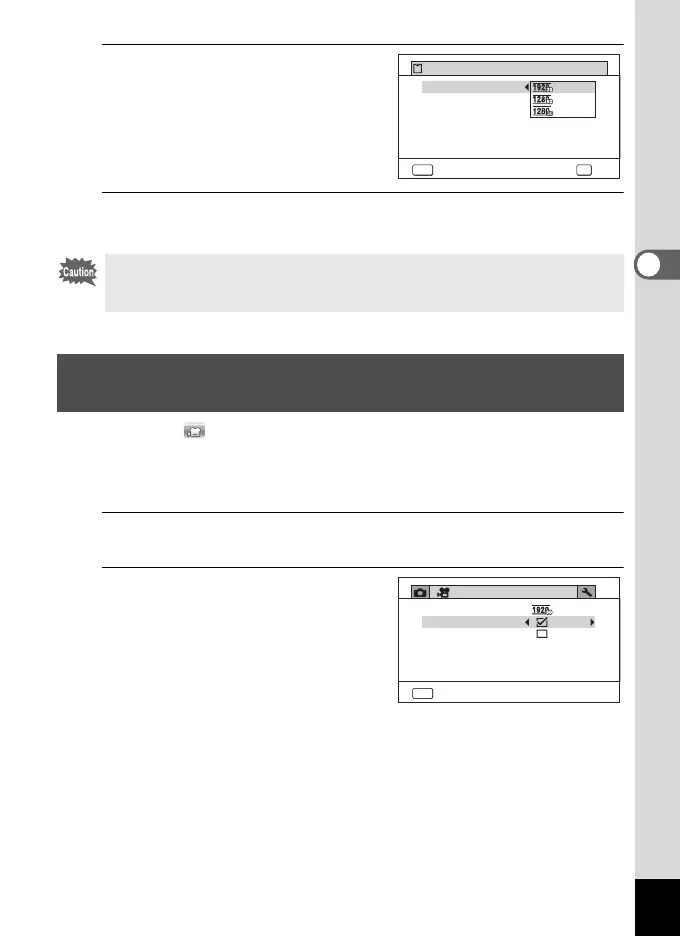
1
Use the four-way controller (23) to select [Movie SR] in the
[C Movie] menu.
2
Use the four-way controller (45)
to select O (On) or P (Off).
O(On) Automatically corrects
camera shake.
P (Off) Does not correct camera
shake.
The setting is saved.
Due to the following restriction, the actual recordable time may differ from the
recordable time (Rec. Time) that appears in the top-right corner of the screen.
• The maximum recordable time of a file is 25 minutes.
Setting the Movie SR (Movie Shake Reduction)
Function
MENU OK
Recorded Pixels
Mov
iSRe
Wind Suppression
OKCancel
Rec. Time
02:26
MENU
Recorded Pixels
Mov
iSRe
Wind Suppression
Exit
Movie
e_kb635_EN.book Page 103 Thursday, November 9, 2023 9:17 AM



 To Next Page
 Loading...







