Pepco Web-Programmable Thermostat Homeowner’s Manual 13
PERS1123B—Pepco-Generic IT900 Thermostat Manual
(Version 2 Thermostat with New Screen Shots)
Piece: Manual
Quantity: 000,000
Size: sssss
Colors: ccccc
Finishing: ffffffffff
Mail: mmmmmmm
Program Specic Checklist Name: Date:
☐ Phone Number _________ _________
☐ URL _________ _________
☐ Program Details _________ _________
GRAPHIC
DESIGNER
☐ SPELL CHECK
CREATIVE
DIRECTOR
PROOFREADER COPY
SUPERVISOR
COPYWRITER CREATIVE SERVICES
MANAGER
ACCOUNT
MANAGER
PERS1123B
Pepco-Generic IT900 Thermostat Manual (Version 2 Thermostat with New Screen Shots)
Job Opened: November 20, 2012
Requested In-Home Date: December 10, 2012
Latest Revision: November 20, 2013
Approved: __________________
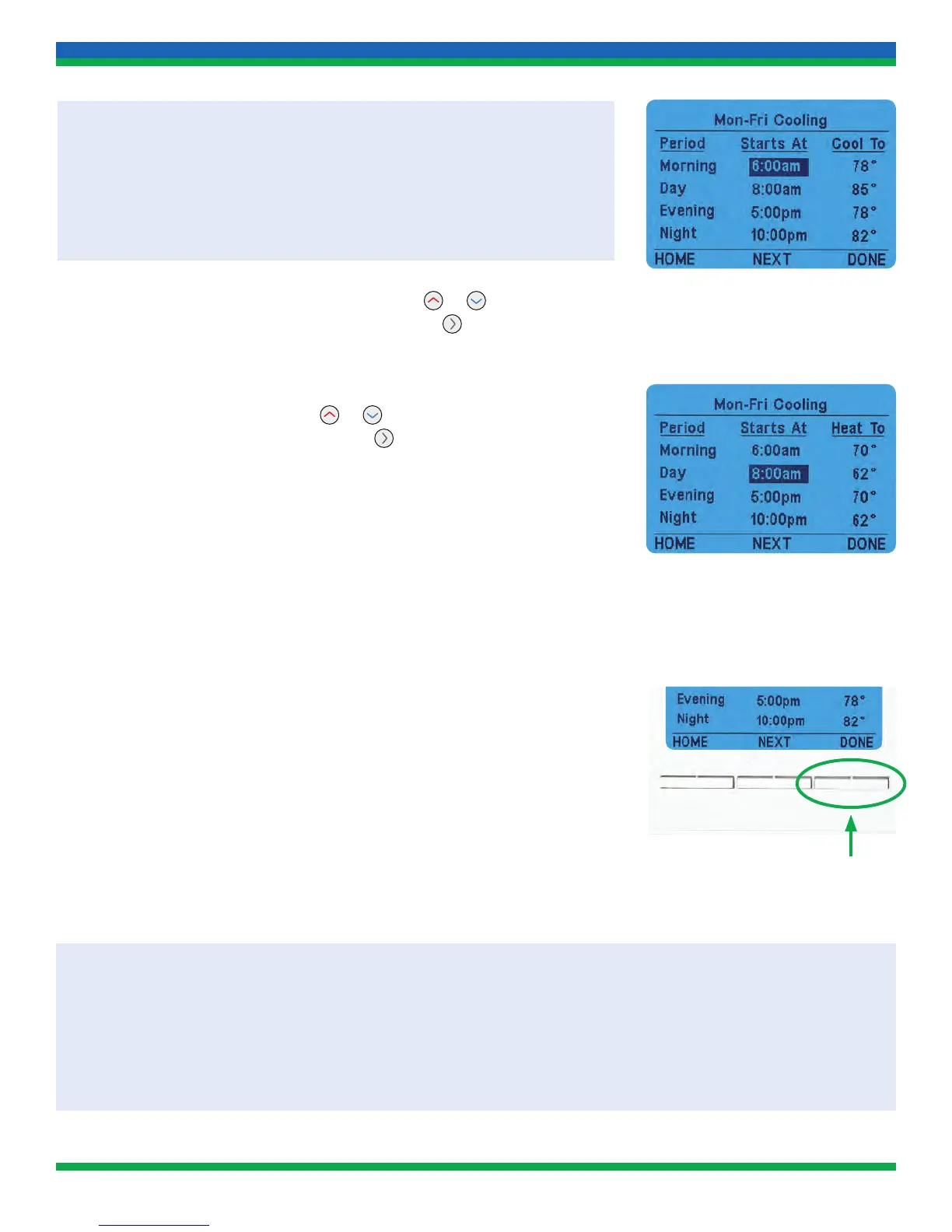
While in any schedule programming screen:
• Pressing HOME will exit without saving changes
• Pressing NEXT will advance to the next day(s) to be programmed
•
Pressing DONE will save any changes and return to the previous menu
5. The Morning Starts At time is highlighted. Press or to adjust the
Morning time period to the desired start time. Press
to highlight the
Morning Cool To or Heat To.
6. The Morning Heat To or Cool To (depending on which mode is being
programmed) is highlighted. Press
or to adjust the Morning
setpoint to the desired temperature. Press
to highlight the Day
Starts At time.
7. Repeat Steps 5–6 for the Day, Evening, and Night Starts At and
Heat To or Cool To setpoints.
8. To change to the next day or group of days (Weekdays or Weekends),
press NEXT. Then repeat steps 5 through 8 as needed.
9. When changes are complete, press DONE.
10. Press HOME after programming is complete and changes have
been saved.
PROGRAMMING TIPS:
• If you don’t want to program a particular day, you can skip it. Press NEXT one or more times until you reach the
desired day.
• If you want to similarly program days in a group with only slight differences, program as a group first, then
program individual days as needed. The individual day program overrides the group program.
13_PERS1123B_IT900_v2_TSTAT_MANUAL.indd 13 11/20/13 3:34 PM



 To Next Page