6 Pepco Web-Programmable Thermostat Homeowner’s Manual
PERS1123B—Pepco-Generic IT900 Thermostat Manual
(Version 2 Thermostat with New Screen Shots)
Piece: Manual
Quantity: 000,000
Size: sssss
Colors: ccccc
Finishing: ffffffffff
Mail: mmmmmmm
Program Specic Checklist Name: Date:
☐ Phone Number _________ _________
☐ URL _________ _________
☐ Program Details _________ _________
GRAPHIC
DESIGNER
☐ SPELL CHECK
CREATIVE
DIRECTOR
PROOFREADER COPY
SUPERVISOR
COPYWRITER CREATIVE SERVICES
MANAGER
ACCOUNT
MANAGER
PERS1123B
Pepco-Generic IT900 Thermostat Manual (Version 2 Thermostat with New Screen Shots)
Job Opened: November 20, 2012
Requested In-Home Date: December 10, 2012
Latest Revision: November 20, 2013
Approved: __________________
Step 2: Main Menu and Thermostat Settings
A. Main Menu
The Homeowner Programming Menu table (next page) summarizes the configuration items that the homeowner can
change, and a convenient space to keep track of your settings. For more details on each homeowner programming
menu option, see: Thermostat Settings on page 7, and Description of Menu Options on page 9. To enter the
Homeowner Programming Menu:
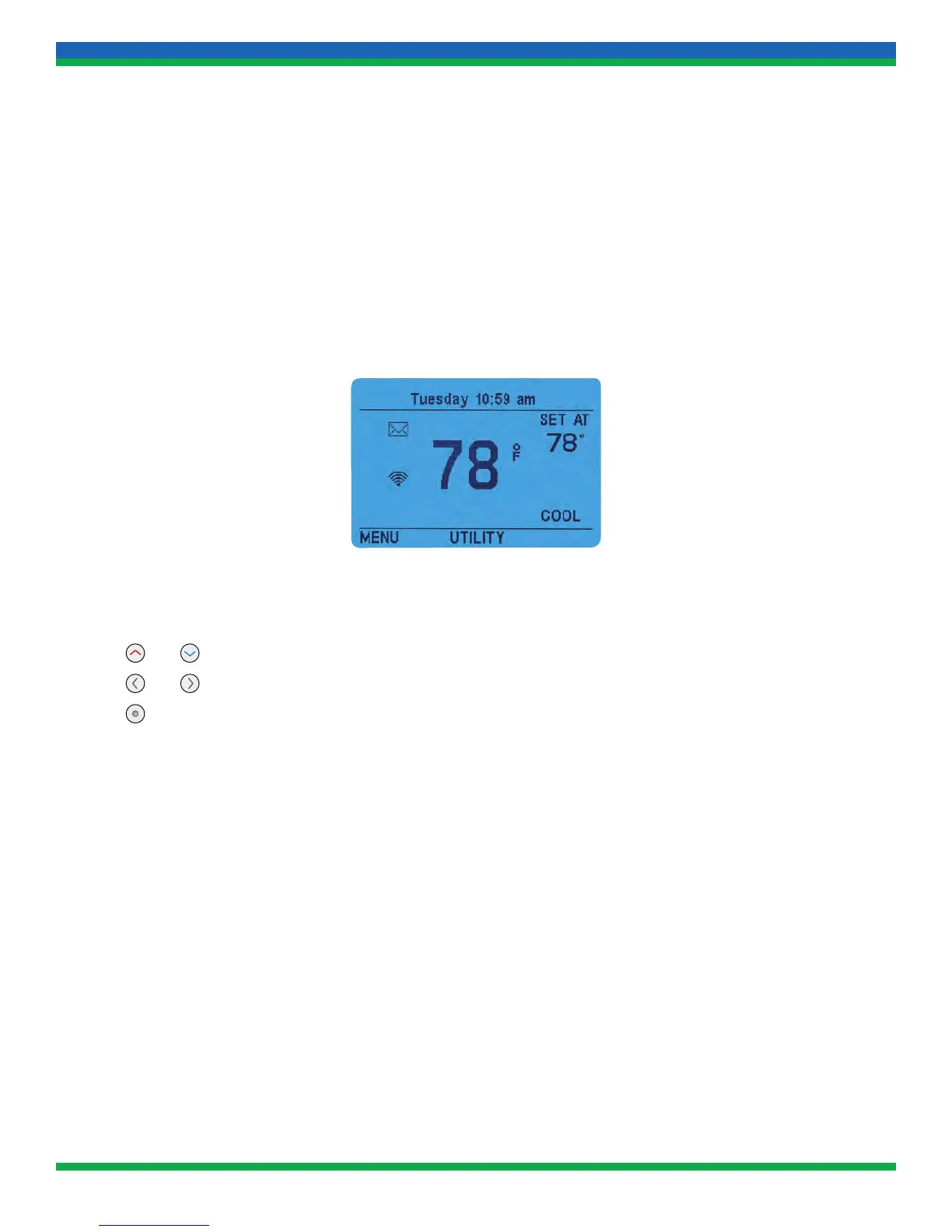
1. Ensure the thermostat is at the home screen (see example below).
2. Press the MENU soft key. The display will show the first level of the Homeowner Programming Menu.
3. While in the Homeowner Programming Menu:
• The
and buttons scroll the cursor up and down, respectively
• The
and buttons scroll the cursor left and right, respectively
• The
(Action) button selects the highlighted menu item
• The soft key labeled HOME exits the Homeowner Programming Menu back to the home screen
(NOTE: when the HOME soft key is pressed, any changes made on the current menu item are not saved)
• When changes are made to a menu item, pressing DONE will save the changes and go back one menu level
• If a mistake is made during programming, press HOME once, then return to the programming option and
re-enter the information (press DONE to save changes, press HOME to exit)
4. To exit the menu and return to the program operation, press HOME (when available).
If no keys are pressed within two minutes, the thermostat will revert to normal operation. Any changes made but not
saved by pressing DONE will be lost.
13_PERS1123B_IT900_v2_TSTAT_MANUAL.indd 6 11/20/13 3:34 PM


 To Next Page