406
20.01.2015 ©Velleman nv
6. Put the protective cover back to the base and lock the cover with the screw.
7. Put the front housing back to the base and lock the front housing with screw.
8. Install 2 x AA-size batteries into the battery compartment.
9. Press the RESET key once and make sure it is working on initial condition.
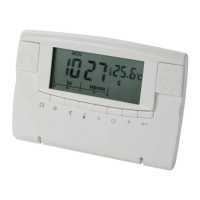
3. Description
Night temperature
+
Higher temperature
-
Lower temperature
4. Operation
Setting the clock
After battery installation (2 x AA size) or pressing RESET or the key, the
thermostat will enter the time adjustment mode. The hour is flashing. Set the hour
with + or -. Press to confirm. The minutes are flashing. Press + or - to adjust
the minutes. Press to confirm the setting. The day is flashing. Press + or - to
adjust day. Press key to confirm the setting. The display will return into
running mode.
Viewing the programs
The thermostat is a weekly programmable thermostat, 7 days with 24 hours can
be set. Each hour can select ☼ (comfort temperature or CT) or (evening
temperature or ET) temperature. A weekly factory preset program is installed. This
preset program is set for most families.
Heating and Climate Programming
Press the key. The Monday preset program at 0:00 is being displayed. Press +
or -. The display will show the temperature setting for each hour, e.g. Monday ET
program is set at 0:00 - 5:59 and 8:00 - 15:59, CT program is set at 6:00 - 7:59
and 16:00 - 22:59. Note that the ET is set at 23:00 - 0:00.
Press the key to display the next day preset program. Press + or -. This will
show the temperature setting for each hour. Repeat the above steps, each preset



 To Next Page