CCTVSETW1
V. 02 – 07/01/2014 9 ©Velleman nv
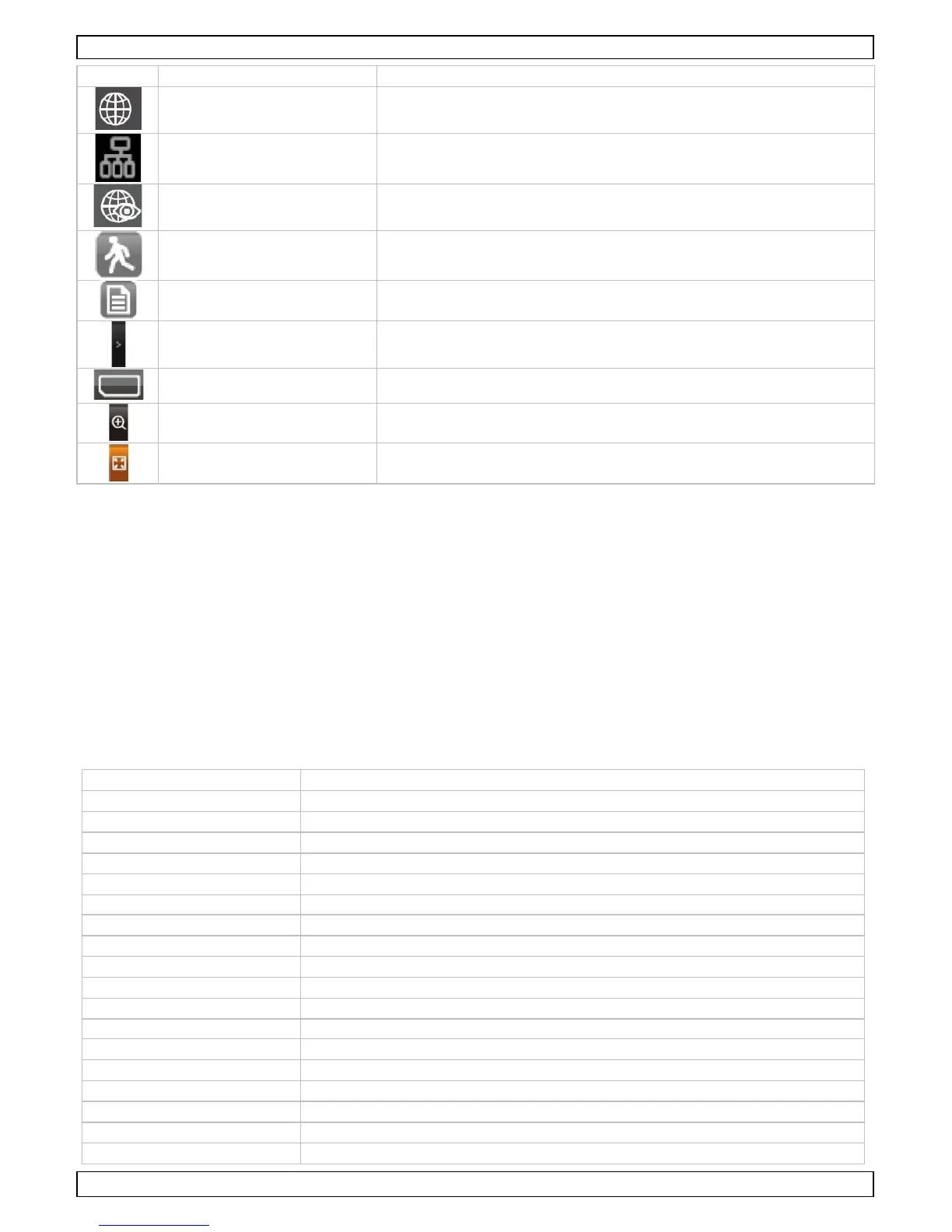
Connected to the internet
Appears when device is connected to the internet
Connected to the intranet
Appears when device is connected to the intranet
Appears when remote viewing is in progress
Flashes when device records after detecting motion detection
Appears when scheduled recording is in progress
Tap to open or close pop up menus
No SD card Appears when SD card is missing or damaged.
Tap to zoom in on a subject
Zoom out Tap to zoom out on a subject
See the full manual on www.velleman.eu for details (search for product code CCTVSETW1).
8. Advanced settings
The Settings menu contains settings for:
• Camera setup (pairing, camera on, brightness)
• Recorder setup (motion detection, scheduled recording)
• Network setup (internet setup, security code, network information)
• Alarm setup (period, melody)
• System setup (power saving, screen auto lock, time, format storage, system upgrade, language)
See the full manual on www.velleman.eu for details (search for product code CCTVSETW1).
9. Technical Specifications
video compression H.264
video transmission 2.4 GHz encrypted digital transmission
pick-up element: 1/4" CMOS sensor
night vision: 20 IR LEDs (8 m range)
IP rating: IP66
maximum recording rate single camera: 640 x 480 pixels (VGA) (25 FPS)
multiple cameras: 320 x 240 pixels (QVGA) (25 FPS)
capacity: 1800 mAh Li-ion (3.7 V)
operating time: maximum 1.5 h
on SDHC card (not incl.) (max. 32 GB)
recording mode manual / timer / motion
remote surveillance: plug and play via smart phone applications



 To Next Page