Need help?
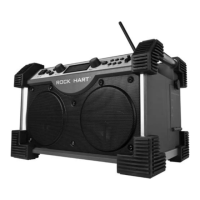
Do you have a question about the perfect pro Rock Hart and is the answer not in the manual?
Basic operational and handling instructions for safe use of the apparatus.
Warnings regarding exposure to water, heat, electrical hazards, and proper plug usage.
Details of buttons, display, and ports on the front of the device.
Functionality of buttons located on the top panel.
Information on battery housing, backup power, and battery type selection.
Connection details for the 10-14V DC IN socket.
Location and function of the ports for USB and SD memory devices.
Details on the Aux In 2 socket for audio source connection.
Identification of the external FM rubber antenna.
Location of the power cord socket for AC power.
Explanation of symbols and indicators shown on the LCD screen.
Procedure for inserting main and backup batteries, including notes on battery types and life.
Advice on battery replacement, handling low power, and removing batteries for long periods.
Guidelines for connecting the AC power cord and its interaction with batteries.
Instructions for charging rechargeable batteries, including LED indicators and charging time.
Recommendations for charging new batteries and mixing battery types.
Method for charging batteries using a 12V car adapter.
Step-by-step guide to manually setting the clock time and date.
Explanation of how the clock synchronizes with RDS time signals.
Instructions to turn the radio on and select the FM waveband.
Properly positioning the antenna and using the tuning control for frequency selection.
Adjusting sound with EQ and understanding stereo reception indicators.
How to use the tuning control to automatically find and stop at radio stations.
Understanding the RDS symbol and cycling through information modes.
Displaying the radio station's name via Program Service.
Identifying the genre or type of the broadcasted station.
Viewing text messages or news items broadcast by the station.
Displaying real-time and date synchronized via RDS signal (CT icon).
Procedure for saving favorite radio stations into the 6 available memory presets.
How to access and listen to previously stored radio stations.
Selecting from six preset equalizer modes to customize sound.
Switching between Stereo and Mono for optimal reception in weak signal conditions.
Activating the Loudness feature for enhanced bass response.
Connecting external audio sources via the Aux In-1 and Aux In-2 sockets.
Managing the LCD display backlight when using AC or battery power.
Information on USB/SD card support, capacity, and file system requirements.
Instructions for accessing and connecting USB/SD cards via the multimedia compartment.
Selecting USB/SD source and the device scanning process.
Using buttons for play, pause, skip, rewind, and fast forward during media playback.
Navigating through folders and files on USB/SD devices to select media.
Cycling through file name, folder, album, artist, bit rate, and clock time.
Choosing playback modes like Repeat 1, Repeat Folder, Repeat All, and Random.
Capability of charging MP3 players or mobile phones via the USB slot.
Steps to connect MP3 players or phones for charging using the USB slot.
Advice on using AC power for charging and limitations of USB charging.
Details on AC power input, battery types, and FM frequency band.
Specifications for speakers, output power, Aux-In level, and USB power supply.
Supported media devices, file formats, and frequency response.
Requirements for using new, compatible rechargeable batteries with adequate capacity.
Procedures for first-time charging, battery mixing, condition checks, and charging switch.
 General
| Brand | perfect pro |
|---|---|
| Model | Rock Hart |
| Category | Radio |
| Language | English |

 To Next Page