Need help?
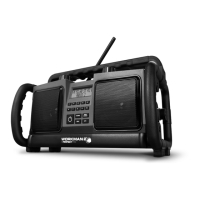
Do you have a question about the perfect pro Workman 2 and is the answer not in the manual?
Identifies and lists the controls and display on the front panel of the radio.
Details the controls and features located on the top surface of the radio.
Describes the back panel components and the Aux-in socket on the side.
Explains how to power the device using batteries or AC adapter, including backup battery function.
Provides instructions for setting the clock and configuring RDS time synchronization.
Guides on first-time use, antenna adjustment, and manual station tuning.
Details how to seek stations automatically and manage preset memory stations.
Explains mono/stereo reception and how to access RDS information.
Instructions for connecting external audio sources via the Aux-in socket.
Guides on adjusting loudness and bass/treble settings for optimal audio.
Covers changing the menu language and adjusting the LCD backlight.
Details on enabling, disabling, and managing the ATP system passcode.
Lists the technical data, including power supply, frequency coverage, and speaker details.
Provides guidance on responsible disposal and recycling of the product.
 General
| Brand | perfect pro |
|---|---|
| Model | Workman 2 |
| Category | Radio |
| Language | English |

 To Next Page