2
Moving Around The Screen– The MENU key allows you to move around the screen to the various features. Any time yo u
scroll to the Menu Arrow Icon the system is prompting you to press either the UP or DOWN keys to select or confirm an
option. Pressing the DOWN key on the brings you into a calibration screen. The calibration screen varies depending on
the mode; the specifics of these screens will be covered within each mode description. Pressing the UP key on the brings
you into the Mode Select Screen.
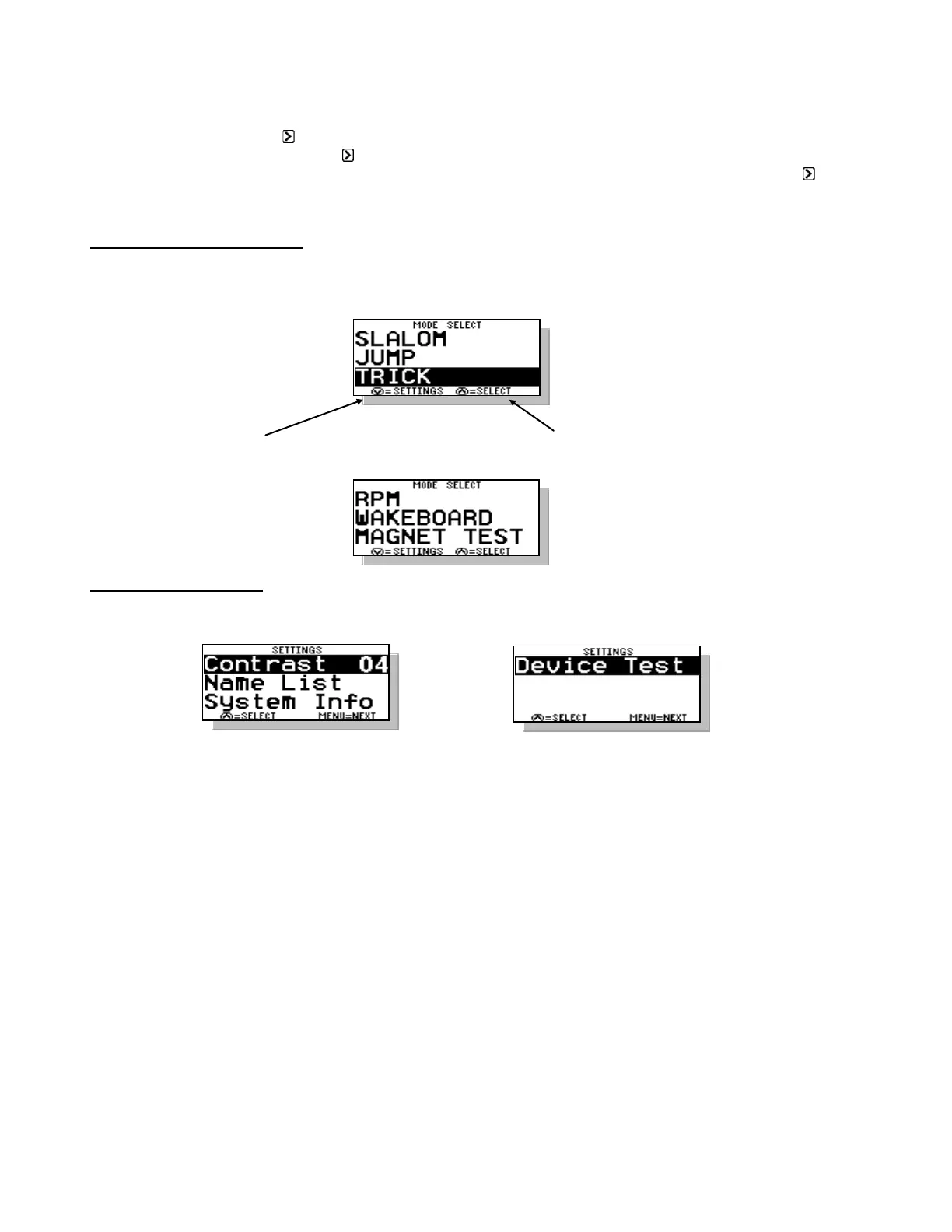
MODE SELECT SCREEN
To change modes press the MENU key until the desired mode is highlighted. Press the UP key to go into the highlighted
mode. Press DOWN to go into the Mode’s background Setting Screens.
DOWN key for Mode settings UP key to Select Highlighted Mode (Trick)
SUBMENU SCREEN
To enter the SUBMENU press the MENU and UP keys together, on any of the main mode screens.
Contrast – To adjust the darkness of the lettering on the screen you can change the contrast. This value can be adjusted
from 0-5 and is saved in the memory. The smaller the number, the brighter the screen will be in bright sun.
If you turn your boat on but cannot see the screen, press MENU & UP Keys together and adjust contrast Up or Down.
Name List – You can pull or enter a name from the name list here. The full description of the Name List is in Section 10 of
the manual
System Info – General system information can be found here. The software version, engine selection, system voltage,
system hours, and water temperature (not equipped on all boats) can be found here. See Section 10. ADDITIONAL
FEATURES for more information on this feature.
Device Test – This test allow you to test for proper control of the rope switches, servo motor (Mechanical only), or throttle
feedback (DBW only). See Section 10.
Tip: Screen Contrast can be adjusted by pressing MENU and UP Keys together. Range is 0 – 5, 3 is
normal.



 To Next Page