5
Press DOWN key to Calibrate system:
The calibration screen is described
below in this section on Page 6.
4. Speed/SETPOINT
The speed readout will turn into the SETPOINT when the engine is below 1500 RPM or the Speed/SETPOINT is
highlighted. When this is highlighted the metric conversion will appear in this area of the screen.
Press UP or DOWN keys to select desired SETPOINT:
5. Course Times
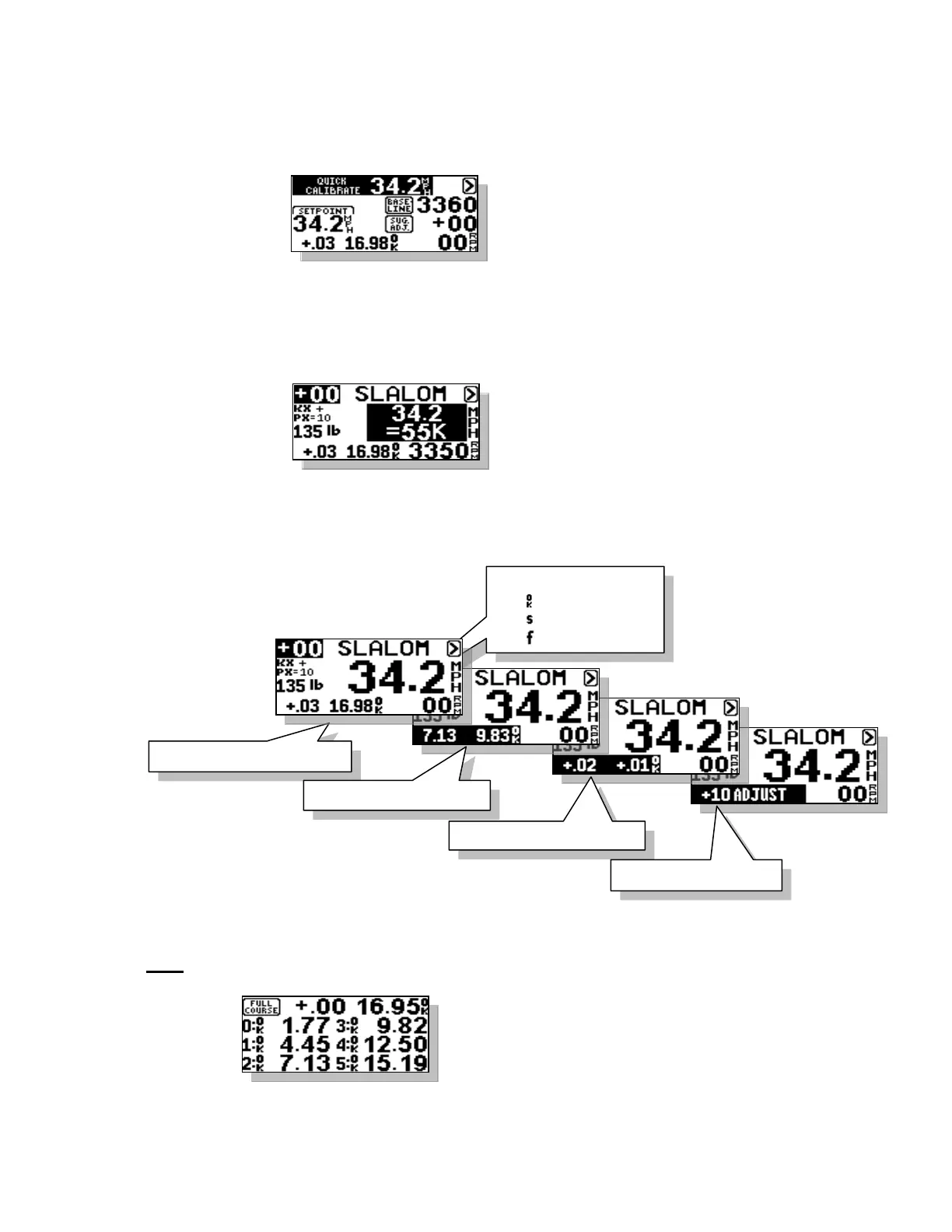
This section of the screen displays the timing information from the last pass. As well as the suggested RPM
adjustment based on the times. These screens will scroll automatically at the end of each pass. The result of this
check is shown to the right of the times as shown below.
With the times highlighted on the screen you can press the DOWN key to view the All Buoy Timing information.
ABT
All buoy times are displayed on one
screen with full course error and full
course time at the top. Press any key to
return to main screen.
Full Course Error and Time
Full Course Error
1
st
and 2
nd
Segment Times
1
st
and 2
nd
Segment Errors
Tolerance Indicator
= Good Times
= Slow Times
= Fast Times



 To Next Page