4. Product Operation
P. 5
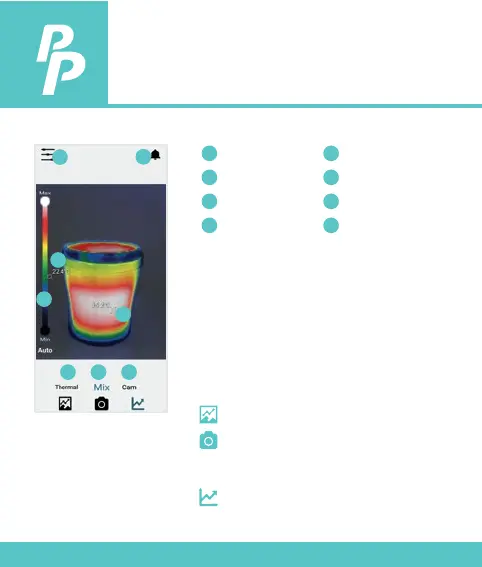
Selections for difierent mode of view:
Selections for difierent mode of function:
Thermal Mode: Thermal Image Only
Mix Mode: Blending between
Thermal Image and Photo
Camera Mode: Thermal Image Only
Press to entry Gallery Album
1) Press to Capture Main View
instantly
2) Press & hold to record video
Press to entry Graph Mode
Menu
Color Scale
Notication
Min. Temp.
1
2
3
4
Max. Temp.
Thermal Mode
Mix Mode
Camera Mode
5
6
7
8
6 7 8
1
2
3
4
5



 To Next Page