EasyManua.ls Logo

Performance Tool W80152 - User Manual

Performance Tool W80152
2 pages
Print Icon
To Next Page IconTo Next Page
Loading...
LIMITED WARRANTY
PERFORMANCE TOOL® extends only the following warranties, and only to original retail purchasers. These
warranties give specific legal rights. Except where prohibited by local law, the law of the State of Washington
governs all warranties and all exclusions and limitations of warranties and remedies. There may be other rights
which vary from state to state.
PERFORMANCE TOOL® warrants the product to be free from defects in materials and workmanship under normal
use and service. A defective product may be returned for a free replacement within 90 days from the date of
purchase, provided that product is returned to place of purchase immediately after discovery of defect. After 90
days and up to one year from date of purchase, PERFORMANCE TOOL® will replace at no charge any parts which
our examination shall disclose to be defective and under warranty. These warranties shall be valid only when a sales
receipt showing the date of purchase accompanies the defective product or defective part (s) being returned. For
part (s) after 90 days, please remit your request, postage prepaid to:
PERFORMANCE TOOL, P.O. Box 88259 Tukwila, WA 98138
These warranties exclude blades, bits, punches, dies, bulbs, fuses, hoses, and other consumables which must be
replaced under normal use and service. These warranties shall not apply to any product or part which is used for a
purpose for which it is not designed, or which has been repaired or altered in any way so as to affect adversely its
performance or reliability, nor shall these warranties apply to any product or part which has been subject to misuse,
neglect, accident or wear and tear incident to normal use and service.
PERFORMANCE TOOL® does not authorize any other person to make any warranty or to assume any liability in
connection with its products.
Except for warranties of title and the limited express warranties set forth above, PERFORMANCE TOOL® makes no
express or implied warranties of any kind with respect to its products. In particular, PERFORMANCE TOOL® makes
no implied warranty of merchantability and no implied warranty of fitness for any particular purpose, except that for
goods purchased primarily for personal, family or household use and not for commercial or business use,
PERFORMANCE TOOL® makes an implied warranty of merchantability (and, if otherwise applicable, an implied
warranty of fitness for a particular purpose), but only for the particular qualities or characteristics, and for the
duration, expressly warranted above.
The laws on limitation of implied warranties may differ from state to state, so the above limitations may not apply in
all cases.
PERFORMANCE TOOL® shall not be liable for consequential, incidental or special damages resulting from or in any
manner related to any product, or to the design, use, or any inability to use the product. The sole and exclusive
remedy for a defective product or part shall be the repair, or replacement thereof as provided above. The laws on
limitation of remedies or on consequential, incidental or special damages may vary from state to state, so the above
limitations may not apply in all cases.
© Copyright 2020 WILMAR CORPORATION, P.O. Box 88259 Tukwila, WA 98138
OWNER'S MANUAL
WARNING: READ, UNDERSTAND AND FOLLOW ALL INSTRUCTIONS AND
WARNINGS BEFORE OPERATING THIS TOOL. FAILURE TO DO SO MAY
RESULT IN PERSONAL INJURY AND/OR PROPERTY DAMAGE AND WILL
VOID WARRANTY.
6" DIGITAL CALIPER
Item Number W80152
Flashing Display ...................................
Function buttons not active...................
Reading error for full length is > 0.1 mm ....
No display on LCD screen ....................
Battery voltage is under 1.45 V. Remove
cover and replace battery faulty circuit.
Remove battery, after 30 sec. put battery
back into compartment
Springs or rubber covers may be out of
the shape due to excessive pressing.
Try replacing battery
Sensor may have dirt or deposits in it.
Blow off unit with clean pressurized air.
Clean with a dry lint free cloth.
1.) Poor battery contact. Check battery
compartment & clean if necessary.
2.) Battery voltage is under 1.3V Replace
with new battery.
TROUBLE SHOOTING
Problem: Solution
Question and Answer IconNeed help?

Do you have a question about the Performance Tool W80152 and is the answer not in the manual?

Summary

Trouble Shooting

Flashing Display

Troubleshooting steps for a flashing display, including battery checks and replacement.

Function Buttons Not Active

Solutions for unresponsive function buttons, suggesting checking springs and replacing the battery.

Reading Error for Full Length

Addresses reading errors for full length measurements, recommending sensor cleaning.

No Display on LCD Screen

Troubleshooting steps for a blank LCD screen, focusing on battery contact and voltage.

Safety Guidelines; Definitions

Technical Specifications

Outside Measurement Specifications

Technical specifications for outside measurements, including range and resolution.

Care and Maintenance

Overview

This document describes a 6-inch digital caliper, item number W80152, including its features, usage, troubleshooting, and maintenance.

Function Description:

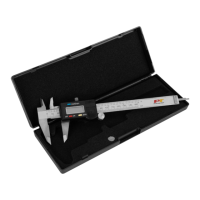
The digital caliper is a precision measuring tool designed for various applications. It can measure outside dimensions, inside dimensions, depth, and step. The device features an LCD display for clear readings and buttons for controlling its functions.

Usage Features:

The caliper is equipped with several components that facilitate its operation:

  • Inside Measuring Faces (1): Used for measuring internal dimensions of objects.
  • SAE / Metric Function (2): Allows the user to switch between SAE (inches) and Metric (millimeters) units for measurements.
  • Lock Screw (3): Secures the measuring jaws in place to hold a reading.
  • LCD Display (4): Shows the measurement readings digitally.
  • Thumb Wheel (5): Used to smoothly adjust the position of the movable jaw for precise measurements.
  • Battery Compartment Cover (6): Provides access to the battery for replacement.
  • Zero Button (7): Resets the display to zero at any point, allowing for differential measurements.
  • On / Off Button (8): Powers the device on or off.
  • Outside Measuring Faces (9): Used for measuring external dimensions of objects.

To operate the caliper, the user first powers it on using the On/Off button. The desired unit of measurement (SAE or Metric) can be selected using the SAE/Metric function button. The jaws are then positioned around or within the object to be measured, or the depth rod is extended for depth measurements. The thumb wheel allows for fine adjustments. Once the measurement is taken, the lock screw can be tightened to hold the reading on the LCD display. The zero button is particularly useful for setting a reference point for comparative measurements.

Troubleshooting:

The manual provides solutions for common issues:

  • Flashing Display: This indicates low battery voltage (under 1.45 V). The solution involves removing the cover, replacing the battery, or removing the battery for 30 seconds and then reinserting it to reset the circuit.
  • Function Buttons Not Active: This can be due to springs or rubber covers being out of shape from excessive pressing. Replacing the battery is suggested as a potential fix.
  • Reading Error for Full Length (>0.1 mm): This issue points to dirt or deposits on the sensor. Cleaning the unit with clean pressurized air and a dry, lint-free cloth is recommended.
  • No Display on LCD Screen: This problem can stem from poor battery contact or very low battery voltage (under 1.3V). Solutions include checking and cleaning the battery compartment, and replacing the battery.

Maintenance Features:

Proper care and maintenance are crucial for the longevity and accuracy of the digital caliper:

  • Cleanliness: The unit must be kept clean and free of dust and debris. It should not be submerged in liquids or exposed to damp environments.
  • LCD Screen Care: The LCD screen should be cleaned with a clean, dry, lint-free cloth.
  • Lubrication: The body of the caliper should be lubricated with a few drops of lubrication oil. Acetone or alcohol should not be used for cleaning.
  • Battery Compartment: The battery compartment needs to be kept clean and free from corrosion to ensure proper electrical contact.

Warranty Information:

The product comes with a limited warranty from PERFORMANCE TOOL®. This warranty covers defects in materials and workmanship under normal use and service. A defective product can be returned for a free replacement within 90 days of purchase. After 90 days and up to one year, PERFORMANCE TOOL® will replace defective parts at no charge, provided a sales receipt is presented. The warranty excludes consumables like blades, bits, and fuses, and does not cover products used for unintended purposes, altered, misused, neglected, or damaged by accident or normal wear and tear. The warranty explicitly states that PERFORMANCE TOOL® does not authorize others to make warranties or assume liability on its behalf. The company disclaims all other express or implied warranties, including merchantability and fitness for a particular purpose, except as specifically stated for household use. The sole remedy for a defective product is repair or replacement.

Performance Tool W80152 Specifications

General IconGeneral
TypeDigital Multimeter
Display TypeLCD
Continuity TestYes
Diode TestYes
Battery Type9V
Auto Power OffYes
Low Battery IndicatorYes
Current Range10A AC/DC

Related product manuals