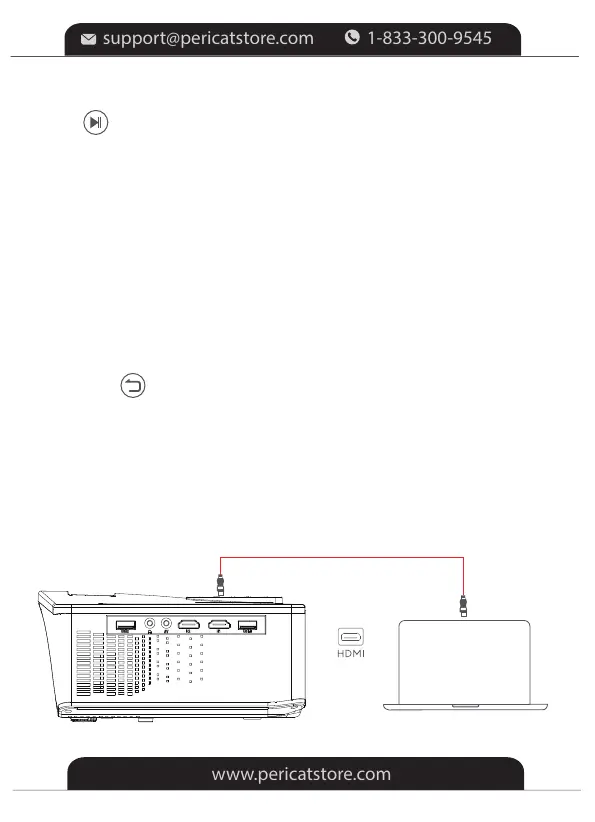
Step 1: Turn on the projector and connect your device to the HDMI1or
HDMI2 Port of the projector with the provided HDMI cable.
* Photo files
①Select "PHOTO" to correspondingly read photo files stored.
②Tap OK on the projector or remote for a photo file to enter
the full-screen display.
Image Format Supported: JPEG/BMP/PNG
* Document files
①Select Office Suite to correspondingly read document files stored.
②Tap OK on the projector or remote to view the contents of a file.
press on the remote to start/pause playing.
Audio Format Supported: AAC/MP3/FLAC/OGG/APE/AMR/WAV/MP2
HD Connection
Step 3: Tap on the projector or press on the remote to go back to
Homepage.
-9-


 To Next Page