Step 3 Connect the Faceplate to Support Pillar
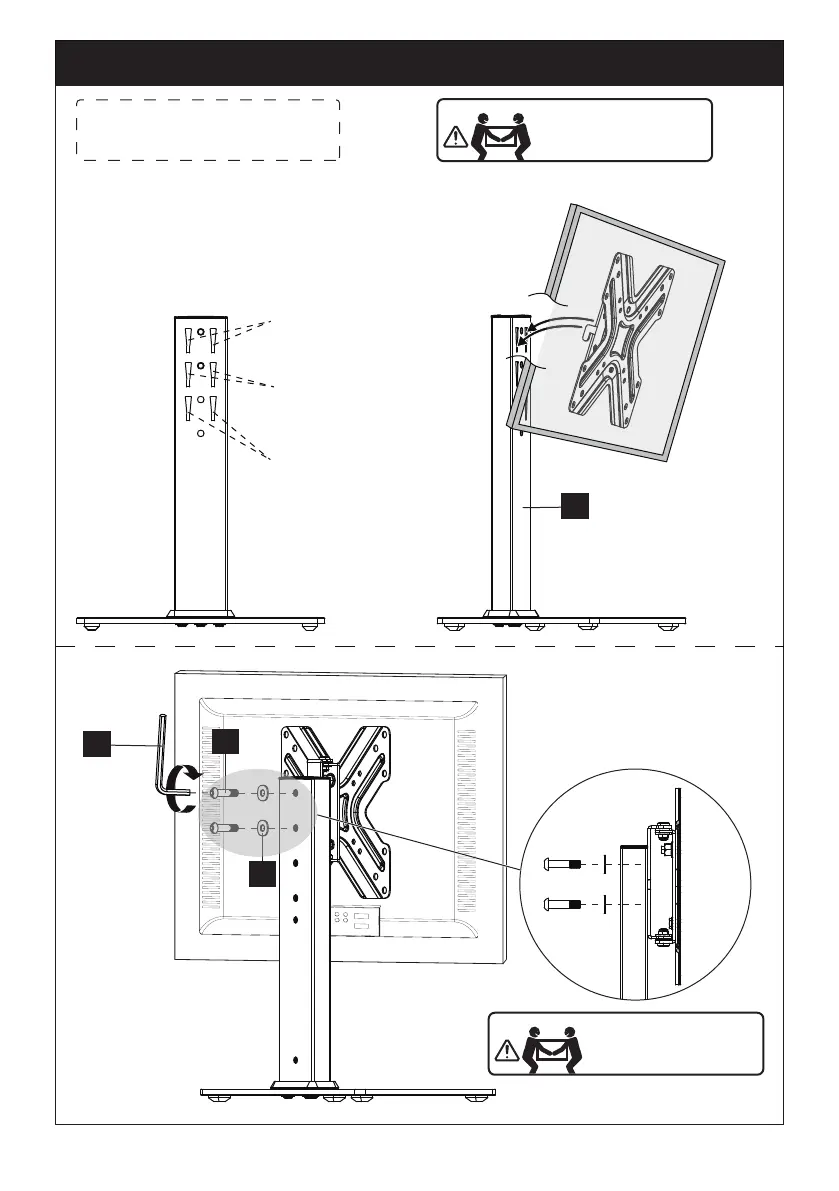
Note: There are three choices
for height adjustment
First Choice for
Height Adjustment
Second Choice for
Height Adjustment
Third choice for
height Adjustment
HEAVY! You may need
assistance with this
step.
3-1 Hang the TV to the support
pillar [02]
02
A
G
Large
Allen Key
D
HEAVY! You may need
assistance with this
step.
3-2 Tighten the bolts [A] and
washers [D] only the washers
are pulled firmly against the
support pillar [02]
01 02 03 04 05 06 07 08 09


 To Next Page